ENGLISH
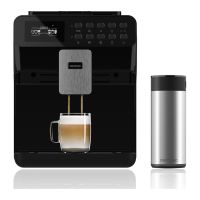
30 POWER MATIC-CCINO 7000
- MILK-FROTHER KNOB
Note: The quality of the milk foam will depend on the milk type and temperature.
1. Open the left door. The milk-frother knob is located in the top-right corner.
2. Turn the knob clockwise to the desired position.
3. Turn it left for a coarse foam and right for finer foam.
4. Clean the milk frother after each use in order to avoid future blockages.
- COFFEE-GRINDER KNOB
Note: Do not pour ground, instant coffee or any other substances into the bean tank.
NEVER use coffee beans that have been stored in a freezer.
1. Before operating the machine, adjust the coffee-grinder knob located inside the coffee-
bean tank in order to select bean’s grinding texture. .
• Slow coffee flow means the coffee powder texture is too fine. Press and turn the coffee-
grinder knob clockwise in order to select coarser texture.
• Fast and light coffee flow means the coffee powder texture is too coarse, press and turn the
coffee-grinder knob anti-clockwise in order to select finer texture.
01505_Power Matic-ccino 7000 Bianco y Nero_Manual_BM.indd 30 4/10/18 12:00


 To Next Page
 Loading...