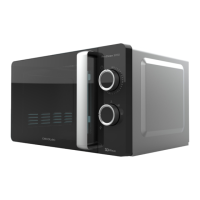
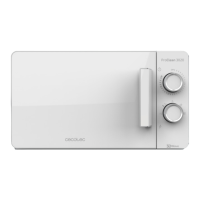
PROCLEAN 5110 RETRO BLUE / GREEN / YELLOW / BEIGE / RED 53
ENGLISH
b. Activate the instant cooking function within 2 minutes by pressing Pause/Cancel.
c. Activate the instant cooking function within 2 minutes of the end of the pre-set cooking
programme.
Clock settings
The Clock button allows you to enter the current time, when the “:” symbol ashes on the
display after plugging it in.
Example: set at 12:30
Steps Symbol
1 After switching on, the : ash
:
2 Press the Pre-setting/Clock button once. 00:00
3
Turn the Self-cooking/Time-Weight selector to set the
exact hours.
12:00
4 Press the Pre-setting/Clock button again. 12:00
5
Turn the Self-cooking/Time-Weight selector to set the
exact minutes.
12:30
6
Press the Presetting/Clock button again or wait 5 seconds,
and the numbers will be xed.
Microwave cooking
Use this function in order to cook or heat food. Press the power button, the display will show
100P-80P-60P - 40P- 20P.
High power
100% microwave power. Applicable for fast and thorough
cooking.
Medium-high
power
80% microwave power. Applicable for medium express
cooking.
Medium power 60% microwave power. For steam cooking.
Medium-low power 40% microwave power. Applicable for defrosting food.
Low power 20% microwave power. Applicable for heat preservation.


 To Next Page
 Loading...