ENGLISH
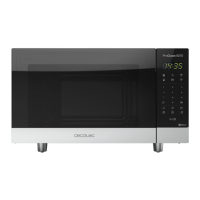
25PROCLEAN 6010
10. SETTING “COOK BY WEIGHT”
The microwave has default cooking programs for simple operations. Set food weight and type and
the microwave will automatically set cooking time and power level.
“COOK BY WEIGHT” CODE DESCRIPTIONS
Code Type Weight range
1 Beef 0,1, 0,15, 0,2…2,9, 2,95, 3 kg
2 Mutton 0,1, 0,15, 0,2…2,9, 2,95, 3 kg
3 Pork 0,1, 0,15, 0,2…1,9, 1,95, 2 kg
Example: cooking 1.2 kg of beef
Steps Display
1
After powering up, display shows colon, press
Reset once or wait for 30 seconds.
:
2 Press Cook By Weight button once.
3 Select the food kind by entering code “1”. 0.
4 Set food weight by pressing number ”1” “2” “0”. 1.20
5
The microwave starts cooking and time will appear
automatically.
34:24
During cooking process, two beeps will sound in order to remind you to turn over the food,
after turning over the food, press Start/Stop to resume cooking.
CAUTION:
- Weight must be specied in kg.
- Once preset time is over, 4 alarm beeps will sound and display will show END. Press Reset
button or open door to return to stand by state.
- Please, wait a few minutes before removing food from inside.
01536_ProClean 6010_Manual_PE.indd 25 24/4/18 9:17




 To Next Page