ENGLISH
26 READY WARM 5250 SWING BOX CERAMIC
• Turn OFF during operation (control panel and remote control)
- Press to set the desired time at which you desire the product to turn on, from 1 to 12
hours (the symbol will light up).
- The appliance will automatically turn off at the set time
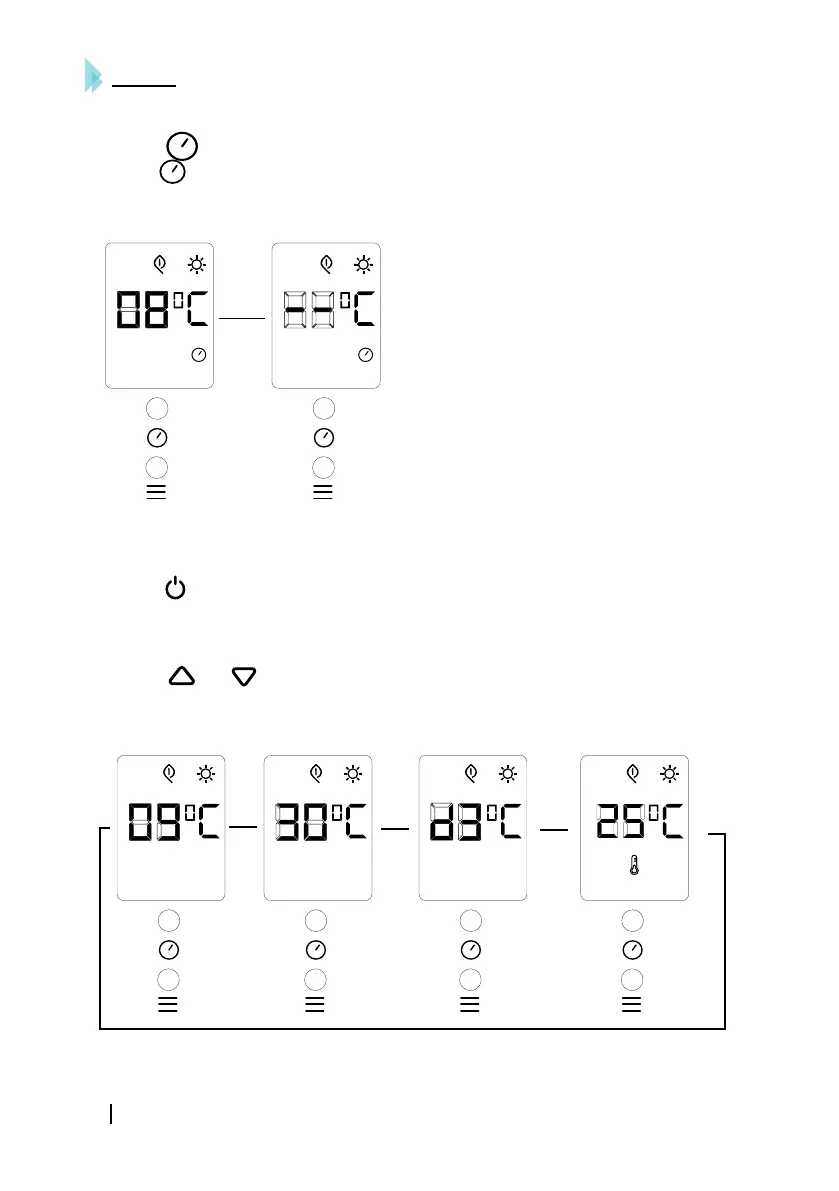
For example, setting turn-off time at 8 hours, see image:
• Scheduling week heating (Only by remote control)
• o Setting current time (only remote control)
- Press to switch the appliance on.
- Press SET to display the hour (00 to 23).
- Press SET to display the minutes (00 to 59).
- Press SET to display the day of the week.
- Press and to set the current day (d1 =Monday, d2=Tuesday, d3=Wednesday,
d4=Thursday, d5=Friday…).
- Press OK to confirm the settings.
Example: Wednesday 9:30, setting temperature: 25 ºC.





 To Next Page