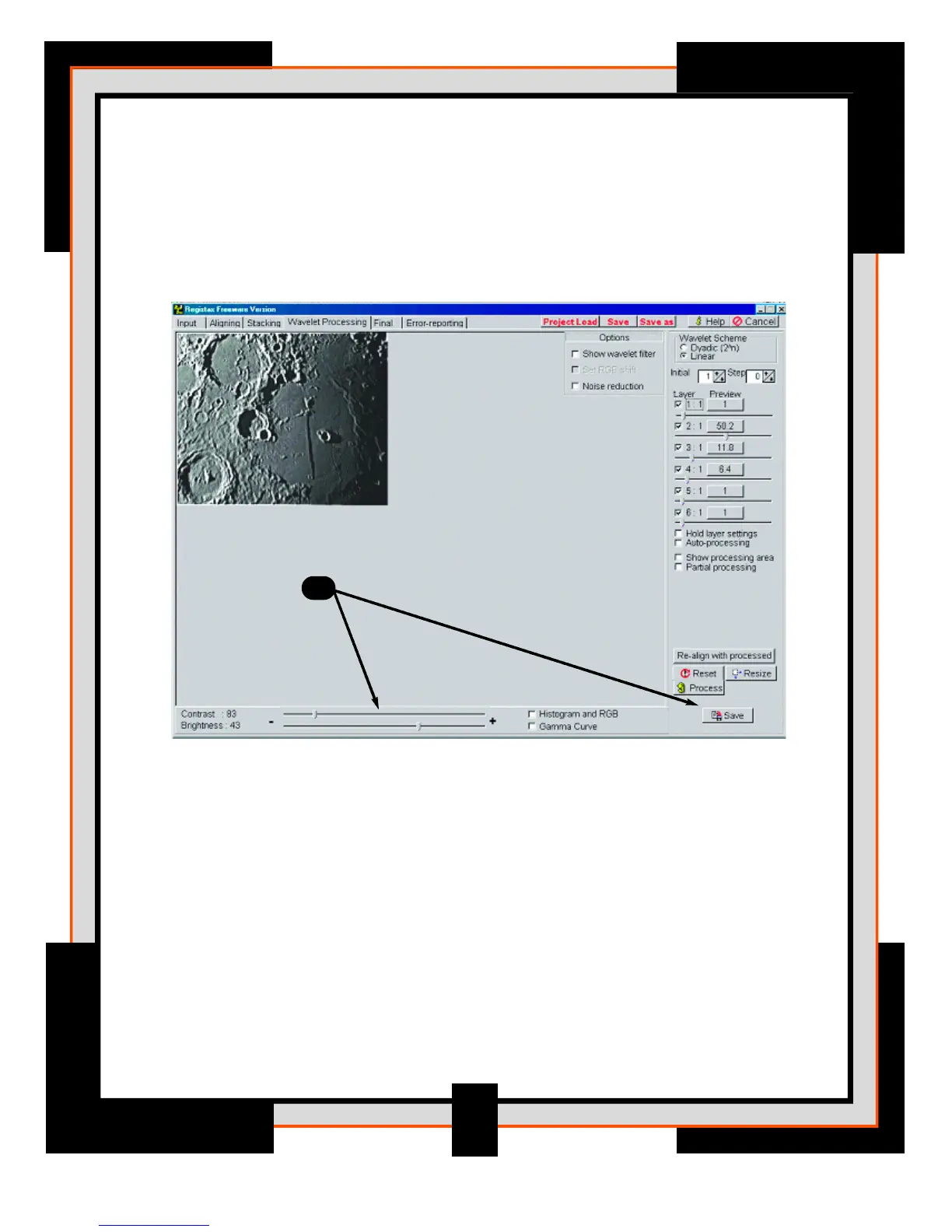
11. On the lower bottom there are two additional sliders called Contrast and
Brightness, these can be used to prevent the image from becoming too
bright. Notice that when you enhance the image with the layer-sliders the
image contrast increases. You can control this by reducing the overall
contrast with the contrast slider.
Once you are happy with the appearance of your image you can save it as
a BMP, JPEG, TIFF or FITS file. Or you can “tweak” the image further on the
Final processing page.
9
11



 To Next Page