BIO X6 User Manual v. 1.0 80
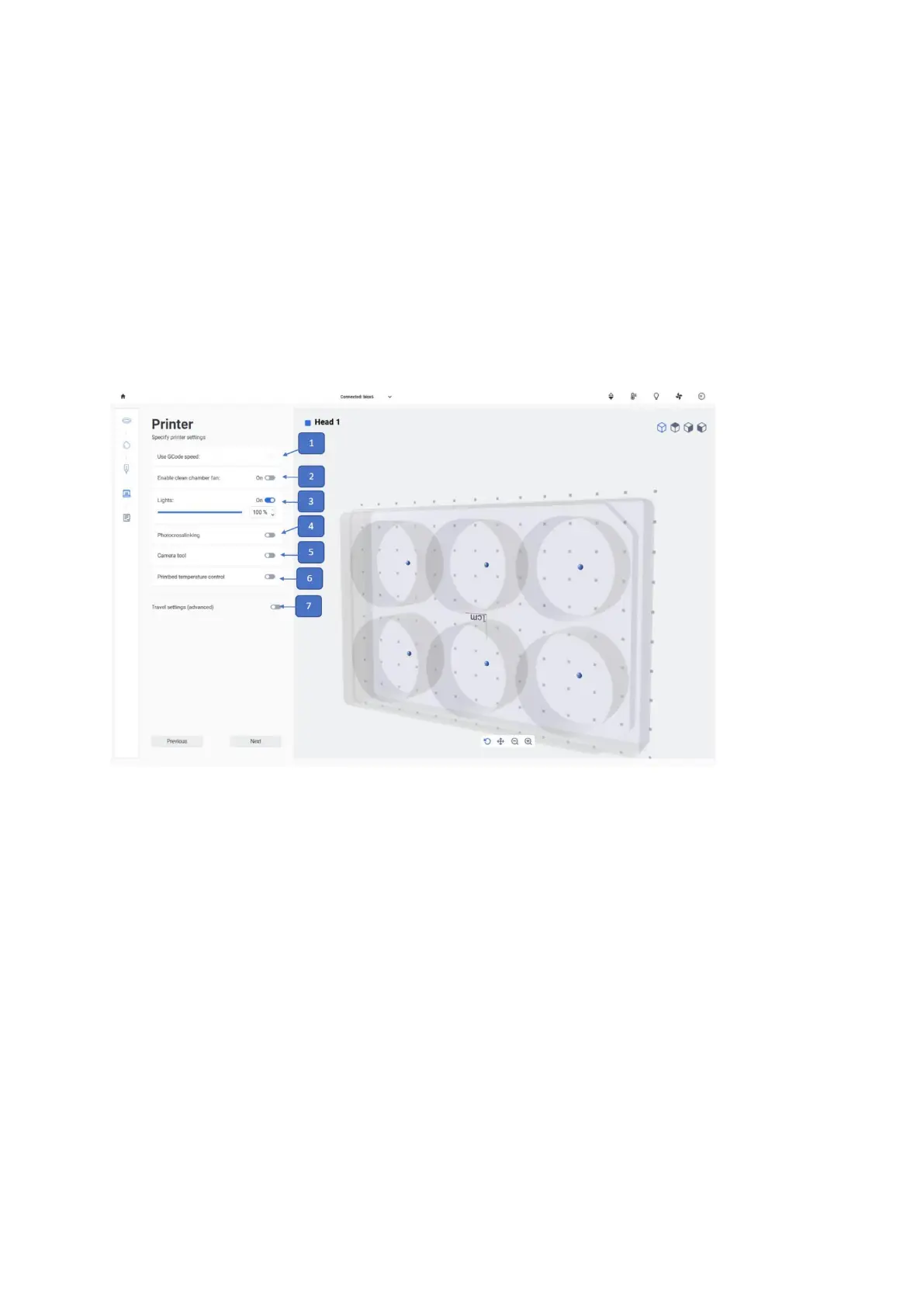
4.5.4 Printer settings
Adjust the printbed temperature, the photocrosslinking settings and the lights and fan of the
chamber in the Printer step. Use temperature control to keep the printbed at a certain
temperature, or turn temperature control off to print at room temperature. You can check the
current temperature of the print chamber at the user interface.
Note: The settings selected in this step will only be applied once the bioprinting process has
started.
1. Tap to use GCode speed during print, it will override the speed which user select
during setup.
2. Enable Clean Chamber fan: Tap to enable or disable the clean chamber fan.
3. Lights: Tap to enable or disable the print chamber lights of the BIO X6. If enabled,
you can drag to select the light intensity.
4. Photocrosslinking: Tap to enable or disable a photocrosslinking scheme. If enabled,
you can indicate the light source (one of the UV curing LEDs or the photocrosslinking
tool) and the light exposure parameters, such as height above the surface and time.



 To Next Page