BIO X6 User Manual v. 1.0 97
5.2 Gcode Editor menu options
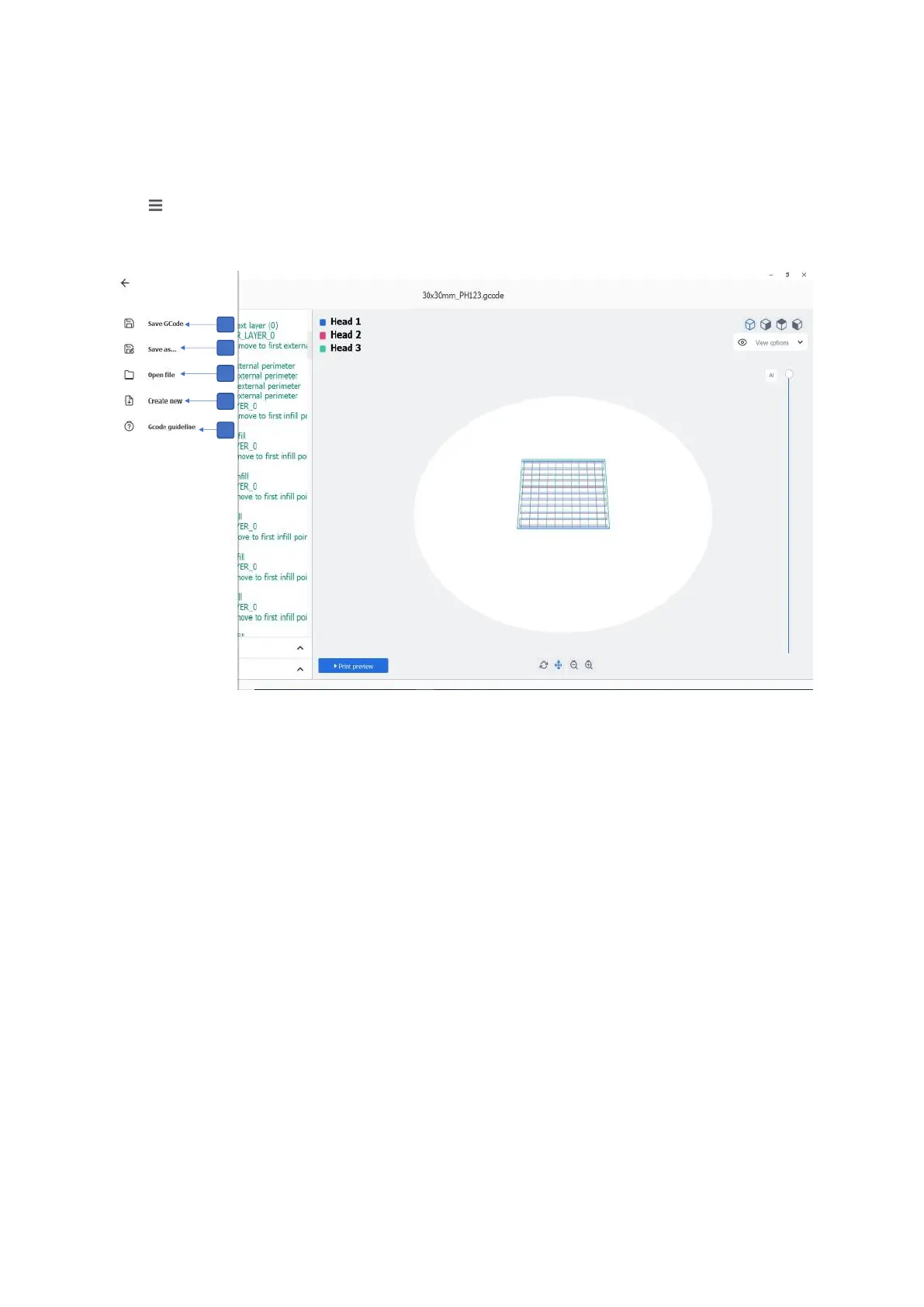
Tap in the G-pad window to access the menu options.
Figure 69 Menu options in the Gcode Editor
1. Save GCode: Tap to save the updates made in the existing Gcode file
2. Save as: Tap to save the new/existing file under a new file name
3. Open file: Tap to open an existing Gcode file
4. Create new: Tap to create a new Gcode file
5. Gcode guideline: Tap to go to the Gcode specification document with information
about different G- and M-commands, the purpose of those commands and what
parameters to use



 To Next Page