5.0 Basic power options
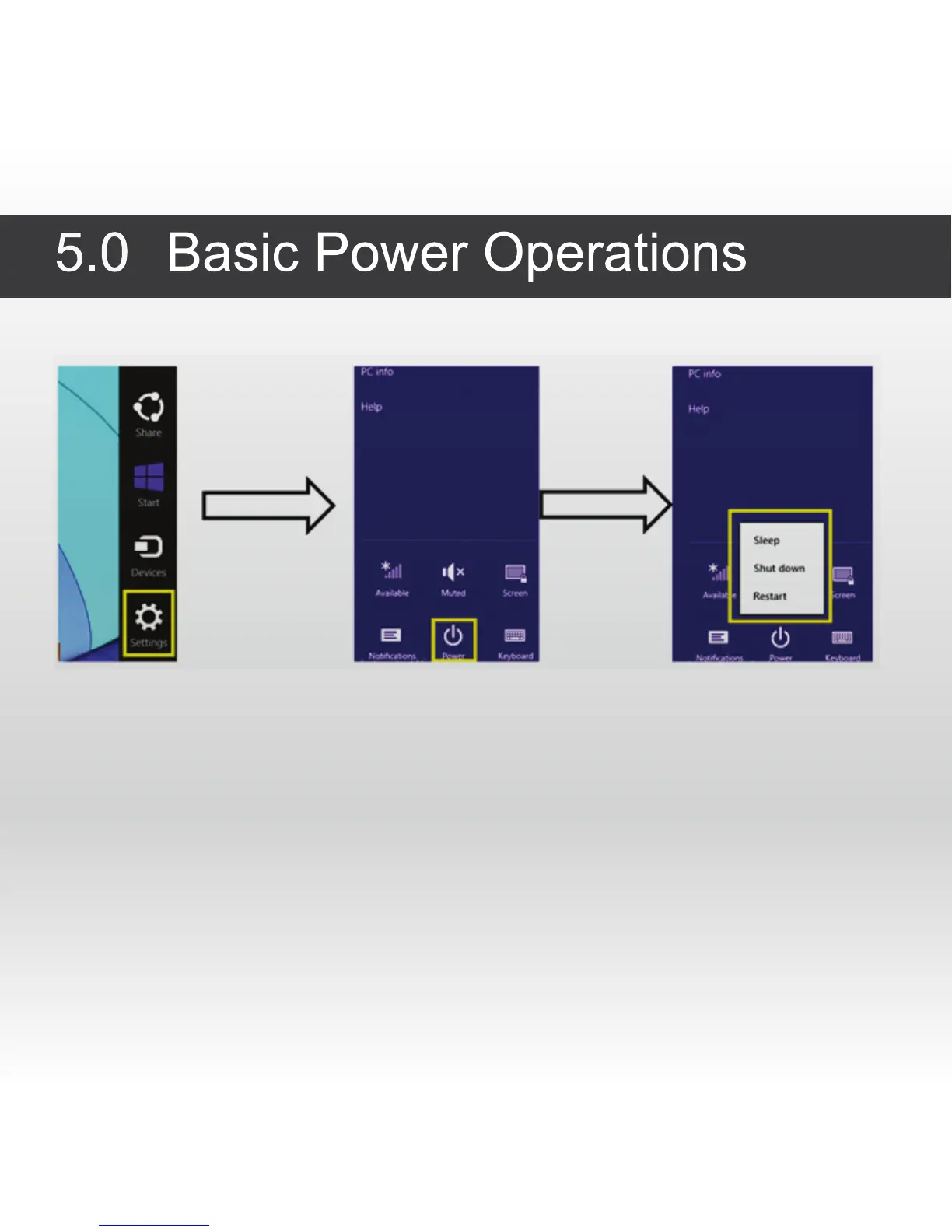
1. Select the Settings option bar and select the icon for settings.
2. Select the the power option and 3 settings are available (Sleep, Shut down, Restart).
3. Sleep: Put the tablet into an idle state. Ideal if you will be away from the tablet for a
short while.
4. Shut down: This option safely closes all applications before switching off the device.
5. Restart: This option safely closes all applications before restarting the device.



 To Next Page