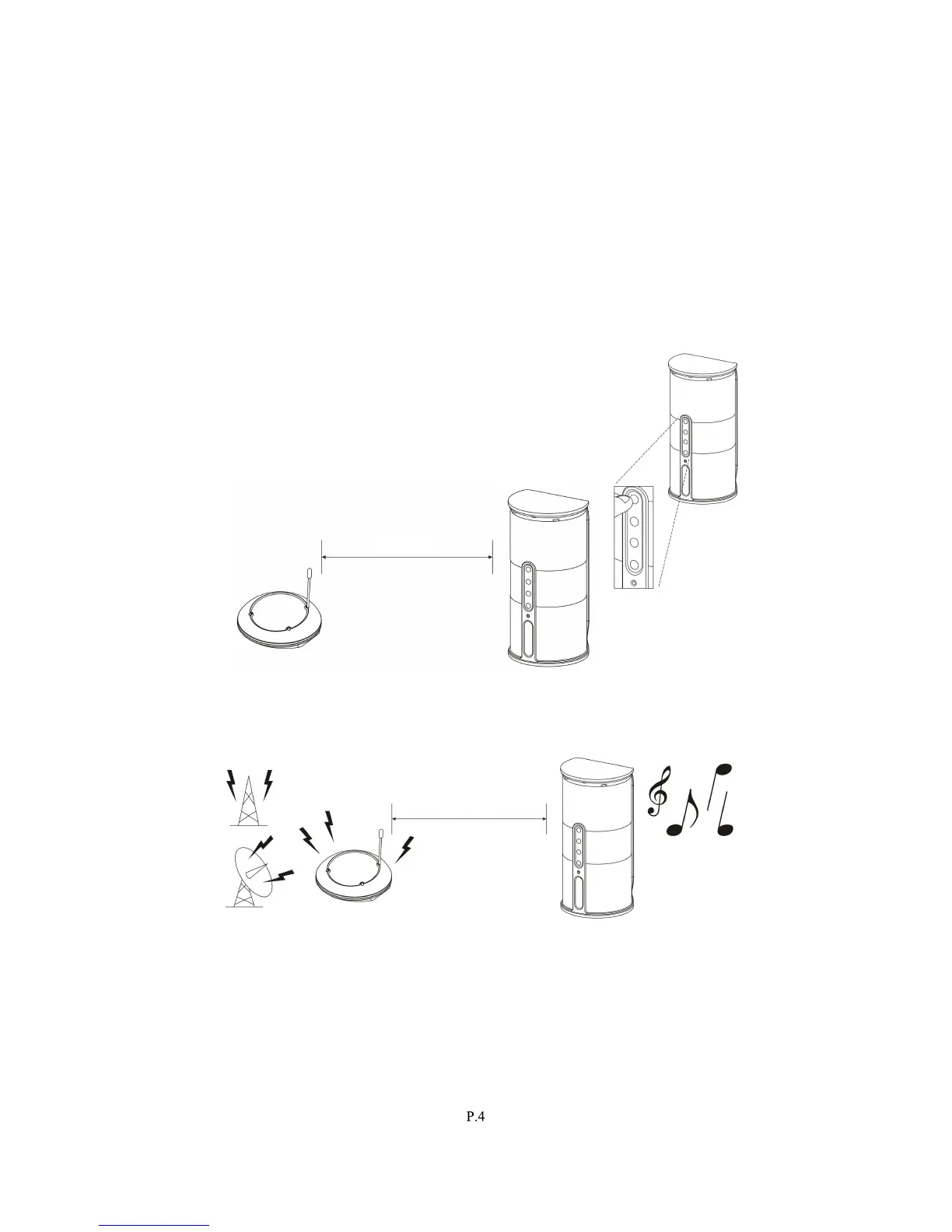
2. Select the channel 1 or 2 of the transmitter for best performance in your
location.
3.
Turn on the ON/OFF button on the speakers (the ON/OFF button on the
remot
e control unit cannot be used as a primary device to switch on the
speakers). Press the “AUTO-TUNE” button to get the best tuning reception in
the speakers. When the button is pressed, frequency tuning starts
au
tomatically and it stops when a signal is detected. Tuning process can also
be activated by pressing the “AUTO-TUNE” button on the remote control unit.
4. Volum
e can be adjusted up by pressing “+” button or down by pressing the
butto
n “-“ to the desired listening level, or you can press the “+” button or “-“
button
” on the remote control unit to adjust the volume
level.
NOTE :
a)
. Keep the speakers no more than 7 metres away
fro
m the transmitter, and then press “AUTO-
TUNE” button for the best reception.
b)
If you experience interference, you can move your channel switch from one
channel to the other channel (there are two channels for selection) on the
transmitter, and then press the “AUTO-TUNE” button again.
5. You should now be able to place the speakers freely from room to room without
disruption
. If there is any disruption (signal cuts off or carries distortion), press the
speaker’s “AUTO-TUNE” button to maximize the best reception.
If you experience interference from other components, switch on the channel control
of transmitter, and then move the speakers to another location. You can re-adjust
th
e tuning control by moving it to either channel 1 or 2 of the transmitter, then
pressing “AUTO-TUNE” button for best reception.



 To Next Page