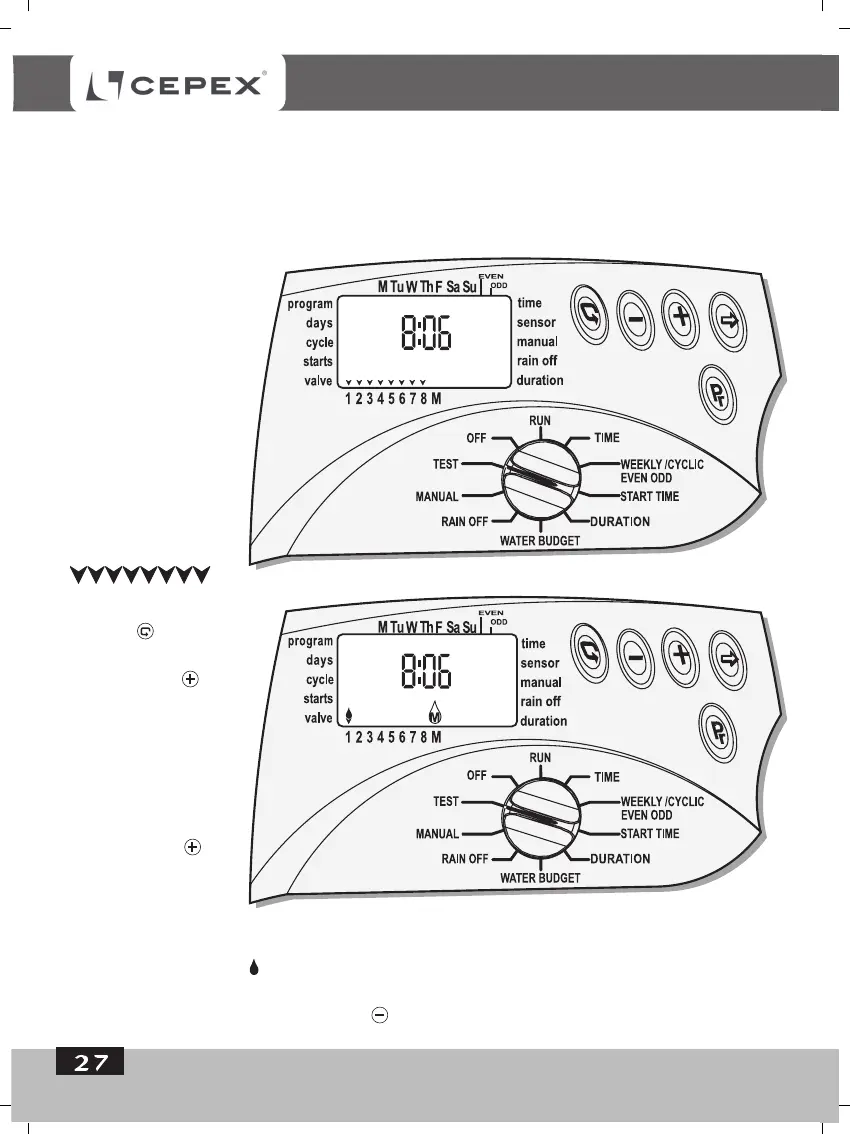
Press and the
first valve-arrow will
flash. Press and
the Master-valve will
open immediately
thereafter. The
irrigation is starting.
To close the valve
and to open the next
valve, Press .
If there is no
irrigation the
malfunction must be investigated.
If the drip symbol flashes, there is a short in the valve or in the wires leading
to it. The valve should be disconnected and the short repaired.
To shut-down the process, press - and the valve will close.
PROGRAMING
5. Valve Test
Through this operation the working of the valve is physically tested. It is necessary to follow-
up and to see whether the irrigation is being carried out.
To test the valves, - switch the selector to TEST mode.
The number 8,
(Controller model 8),
will appear on the
display, together with
the version number,
(on the right-hand
side), as will all the
arrows identifying the
existing valves and
in this case, - 8
valves.
-
.



 To Next Page