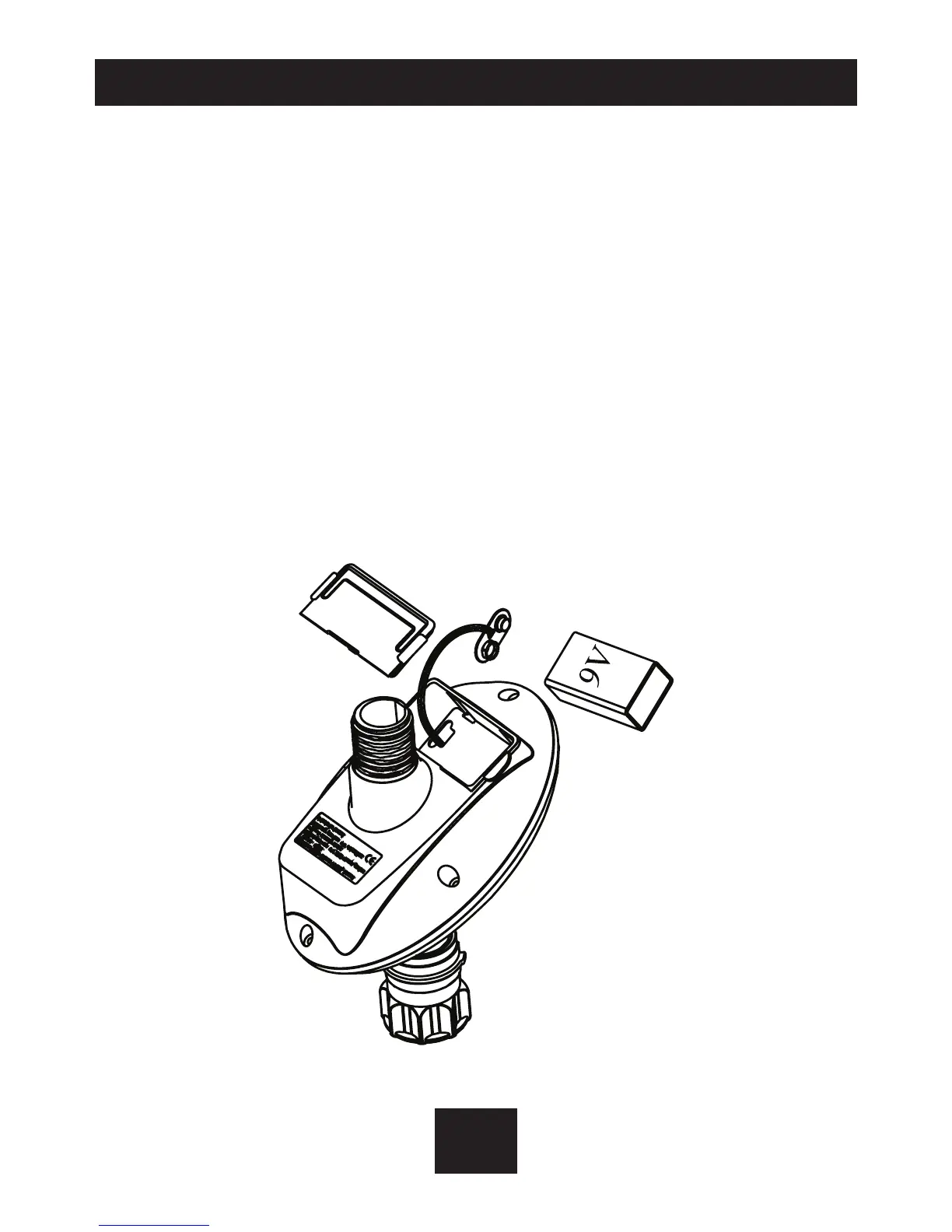
2. BATTERY INSTALLATION
2
EN
• Hold the controller with the battery.
compartment facing you.
• Remove the battery compartment cover.
• Connect 9V battery to the battery connector.
• Insert battery and press on battery cover.
• Pay attention:when changing the battery, make
sure the battery compartment stays dry.
Use Alkaline Batteries only.


 To Next Page