Home
Champion instruments
Recording Equipment
PRO
Instructions
Page 6
Champion instruments PRO - Page 6
6 pages
Manual
Save Page as PDF
To Previous Page
To Previous Page
Loading...
Champion
PRO
Web Interface
Champion Instruments
770.234.3254 | www.championinstruments.com
Page
6
/
6
Step
A
ction
Display
16
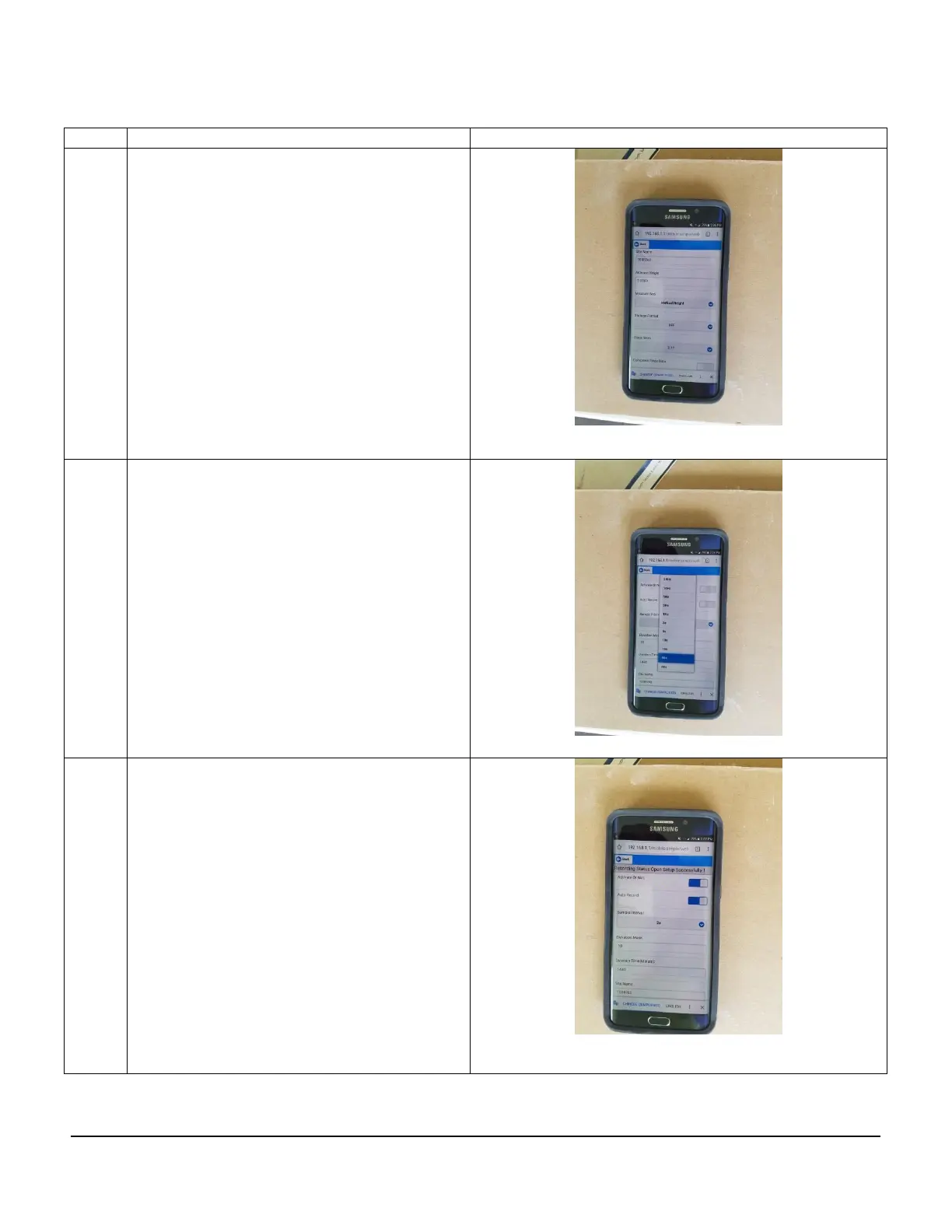
You can name your project and set
your antenna height in the receiver
17
You
can
also
chang
e
the
Epoch
Interval and Elevation Mask
18
End Static Recording, Move the Slides
to the Left, or Power down the
Receiver. Remember to Disconnect
from your Smart Phone
W
iFi.
Downloading of Static Data will be
covered in the next Chapter.
5
Other manuals for Champion instruments PRO
Quick Start Guide
28 pages


 To Previous Page