ALARMS
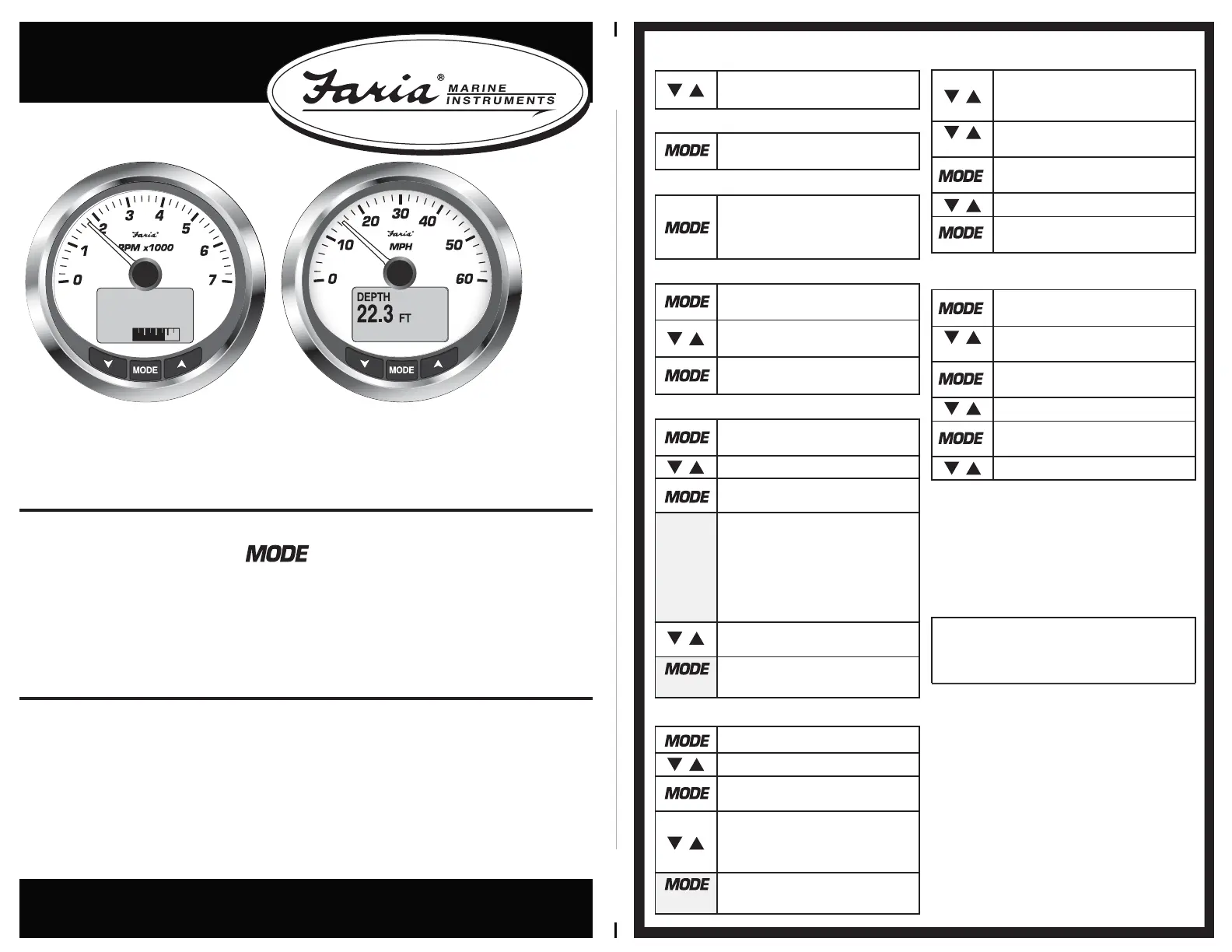
To silence an alarm, press the button on the tachometer. For additional
information and a possible solution, reference your User’s manual. If multiple
alarms are present the display will automatically scroll through the current
alarm(s) messages. Alarm messages will be stored internally for later
troubleshooting if required. All current alarms will be shown while in Normal Mode
by scrolling.
NOTES
1. Some discoloration of the display may occur if the gauge is left in direct sunlight
for a prolonged period. Adjusting the contrast will improve visibility.
2. Certain polarized sunglasses will cause the display to become in illegible.
3. Use only soap and water when cleaning your MG3000 instruments. Certain
chemical cleaners will damage the fog-resistant lens on your instruments.
Rev B ECR#8663 01/2012
IS0321
MG3000™ Quick Reference Card
Your MG3000 Instrument Package comes equipped with factory recommended
settings and displays. Basic Initialization is necessary for the system to perform
properly, please reference the Initialization Guide for additional information. For
custom and more advanced settings please reference your User’s Manual.
Scrolling - Normal Operating Mode
The “Up” or “Down“ buttons will scroll
through active displays.
Making a Selection
Press the “MODE” button for longer
than one second to make a selection.
Exiting a Menu
A short press of the “MODE” button
for less than 1 second will exit from a
menu. 15 seconds of inactivity will
exit.
Changing the Current Mode
From the “Normal“ mode press the
“MODE” once to view the menus.
The “Up“ or “Down“ button will scroll
through the available options.
Press the “MODE” button for longer
than one second to make a selection.
Brightness Adjustment (TACH only)
From the the “Normal“ mode press
the “MODE” button once.
Scroll until “LIGHTING” is selected.
Press the “MODE” button for longer
than one second to make a selection.
Select “ADJUST DIAL” to adjust all
instruments’ lighting levels.
OR
Select “ADJUST LCD“ to adjust the
Tachometer and Speedometer’s
display brightness.
Press the “Up” or “Down” button to
increase or decrease lighting level.
Press the “MODE” button for longer
than one second to make a selection.
Trip Data View/Reset (TACH only)
From the “Normal“ mode hold the
“Up“ and “Down“ buttons for 1
second
Scroll to “TRIP A”, “TRIP B” or
“SEASON”
Press the “MODE” button for longer
than one second to make a selection.
Scroll to “VIEW“ or “RESET DATA“
Press the “MODE” button for longer
than one second to make a selection.
Fuel Management (TACH only)
* NOTE *
Poor batttery condition could result
in gauges performing self test
unexpectedly.
From the “Normal“ mode press the
“MODE” button once.
Scroll until “FUEL LEVEL” is
selected.
Press the “MODE” button for longer
than one second to make a selection.
Scroll to the desired tank.
Press the “MODE” button for longer
than one second to select a tank.
Scroll to desired fuel function.
*It is recommended to adjust the
fuel level(s) after every refueling
to achieve the highest level of
accuracy for fuel management
calculations.
Contrast Adjustment (TACH only)
Press the “MODE” button once.
Scroll until “CONTRAST” is selected
Press the “MODE” button for longer
than one second to make a selection.
Press the “Up” or “Down” button to
increase or decrease the contrast in
the Tachometer and Speedometer’s
display.
Press the “MODE” button for longer
than one second to make a selection.
TRIPA HOURS
100
HRS
FUEL


 To Next Page