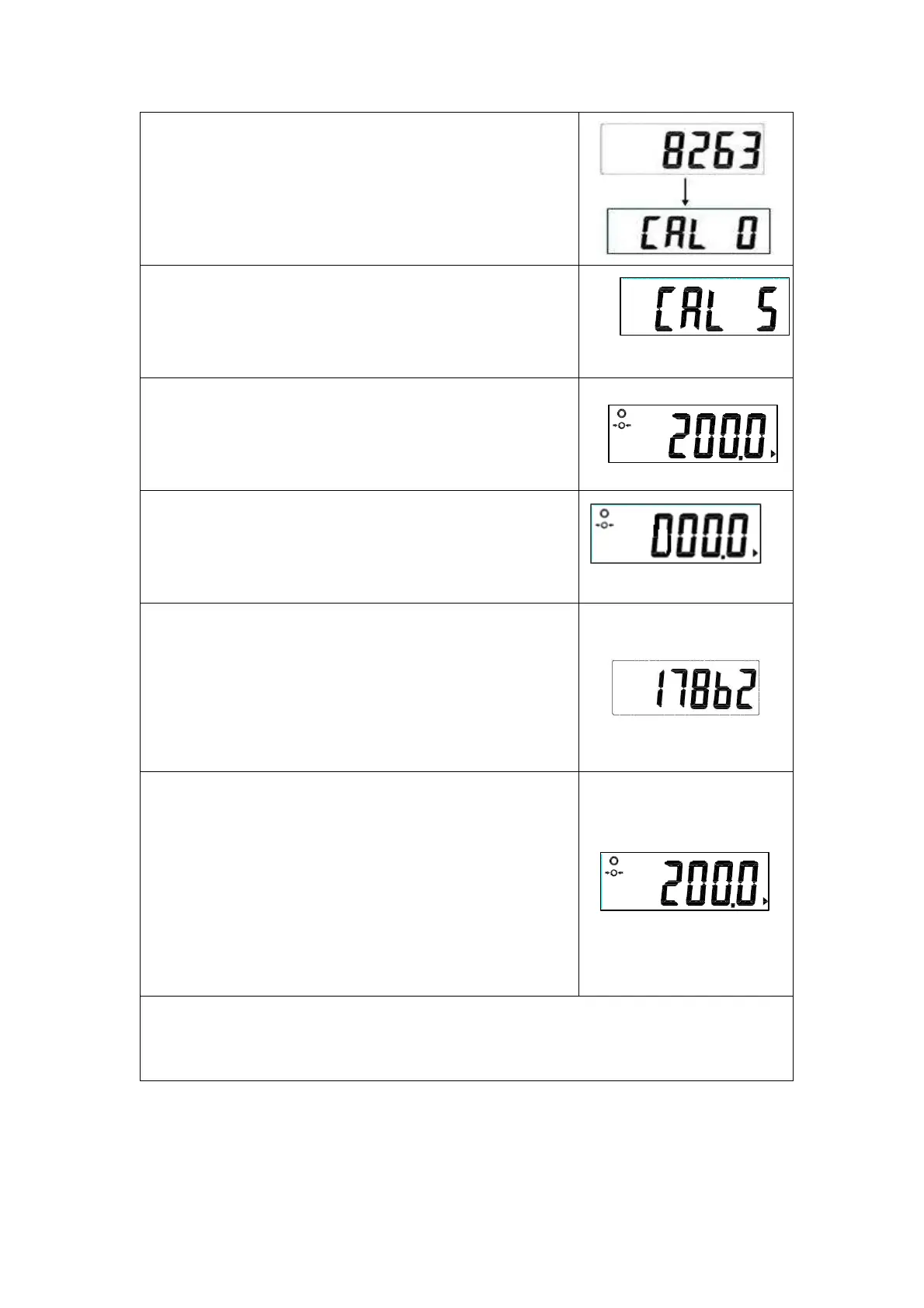
Press the TARE key, the display will show
the present ZERO Count value
(6000~12000).
Then press the UNIT key.
Press the HOLD key.
Press the TARE key.
Enter the calibration weight (200 kg). Press
TARE key and HOLD key to set the weight.
Confirm by pressing the UNIT key and the
number on the display will be 000.0
Put the calibration weight on the scale, and
the display will show SPAN Count value
(15000~20000). Press the HOLD
The adjustment process is started.
When the adjustment is finished
successfully, the scale is automatically
switched over to the weighing mode again
and the calibration weight (200kg) will be
displayed.
Remove the calibration weight
Turn off the scale and then start the scale again.


 To Previous Page