search the smart bracelet. Choose the correct device and tap to pair it.
3 How to Use
Operations
Short tap the confirm button: function switch
Long press the confirm button: activate, mode switch
The smart bracelet will automatically sync the time and activities data to the app
once they connected. Tap confirm button to switch the modes.
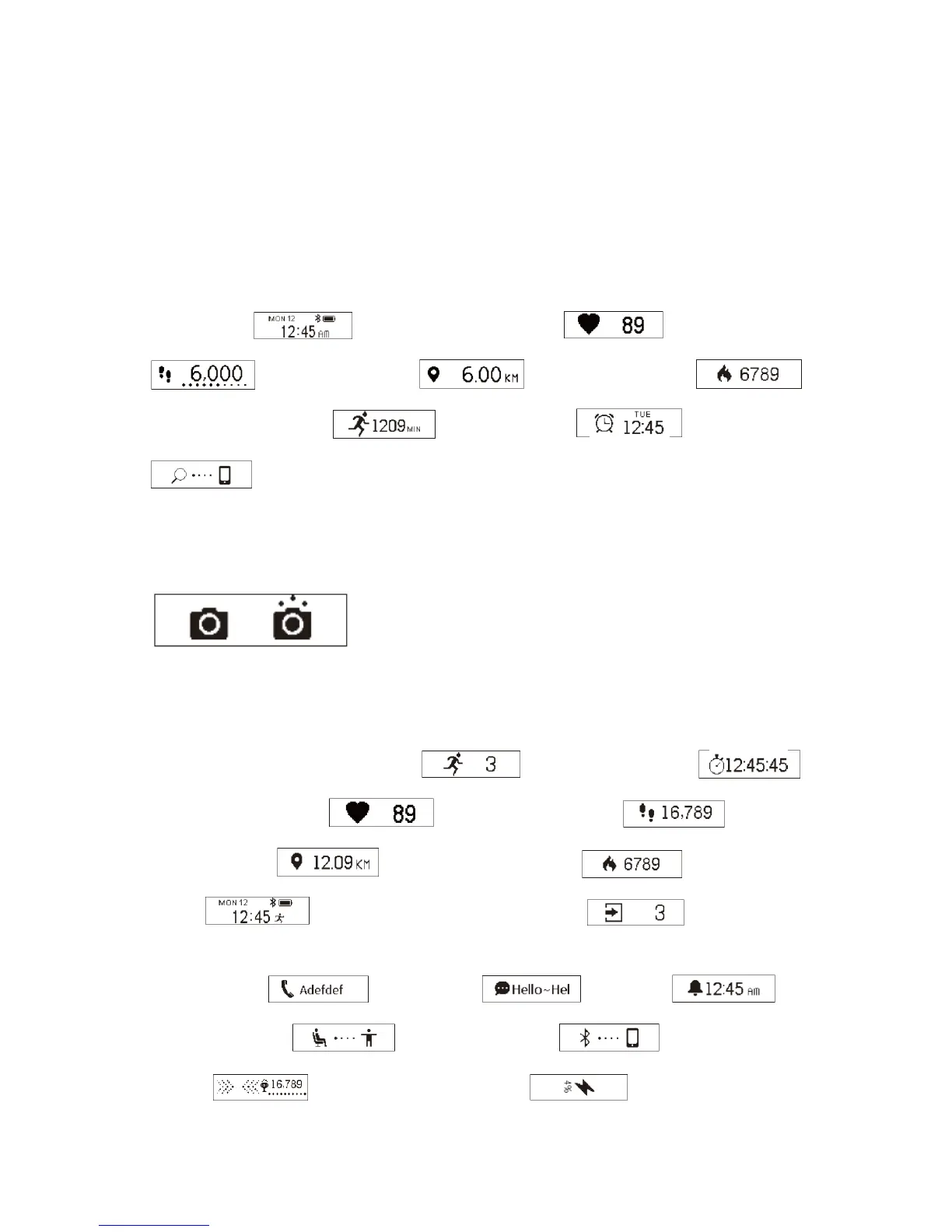
1. Normal Mode
Time Mode
-> Heart Rate Mode -> Step Mode
-> Distance Mode -> Calories Mode ->
-
> Activity Time Mode
-> Alarm Mode -> Find Phone
N
ote: Alarm Mode and Find Phone will only be displayed on the screen after switch
them ON in the app.
2. Remote Camera Control Mode
Tap dĂŬĞWŚŽƚŽŝŶƚŚĞĂƉƉƚŽƚƵƌŶŽŶƚŚĞĐĂŵĞƌĂŽĨLJŽƵƌƐŵĂƌƚƉŚŽŶĞhƐĞƚŚĞ
smart bracelet to take photos remotely by lift wrist or tap confirm button.
3. Sport Mode
Countdown to Enter Sport Mode
-> Stopwatch Mode
-
> Heart Rate Mode
-> Sport Step Mode -> Sport
Distance Mode
-> Sport Calories Mode -> Sport Clock
Mode
-> Countdown to Exit Sport Mode
4.
Notification Mode
Incoming Call
-> Message -> Alarm ->
Sedentary Notice
-> Anti-lost Notice -> Goal Achieved
Notice
-> Low Battery Notice -> Charging Notice


 To Next Page
 Loading...