3-14
To adjust balance or fade to the middle position, select
BAL or FAD. Then press and hold AUDIO for more
than two seconds until you hear a beep. L and a zero or
F and a zero will appear on the display. To adjust both
tone controls and both speaker controls to the middle
position, end out of audio mode by pressing the AUDIO
button until the display goes blank. Then press and hold
AUDIO for more than two seconds until you hear a
beep. CEN will appear on the display.
Radio Messages
CAL (Calibrated): Your audio system has been
calibrated for your vehicle from the factory. If CAL
appears on the display it means that your radio has not
been configured properly for your vehicle and must be
returned to the dealership for service.
LOC (Locked): This message is displayed when the
Theftlock
R
system has locked up. Your vehicle must
be returned to the dealership for service.
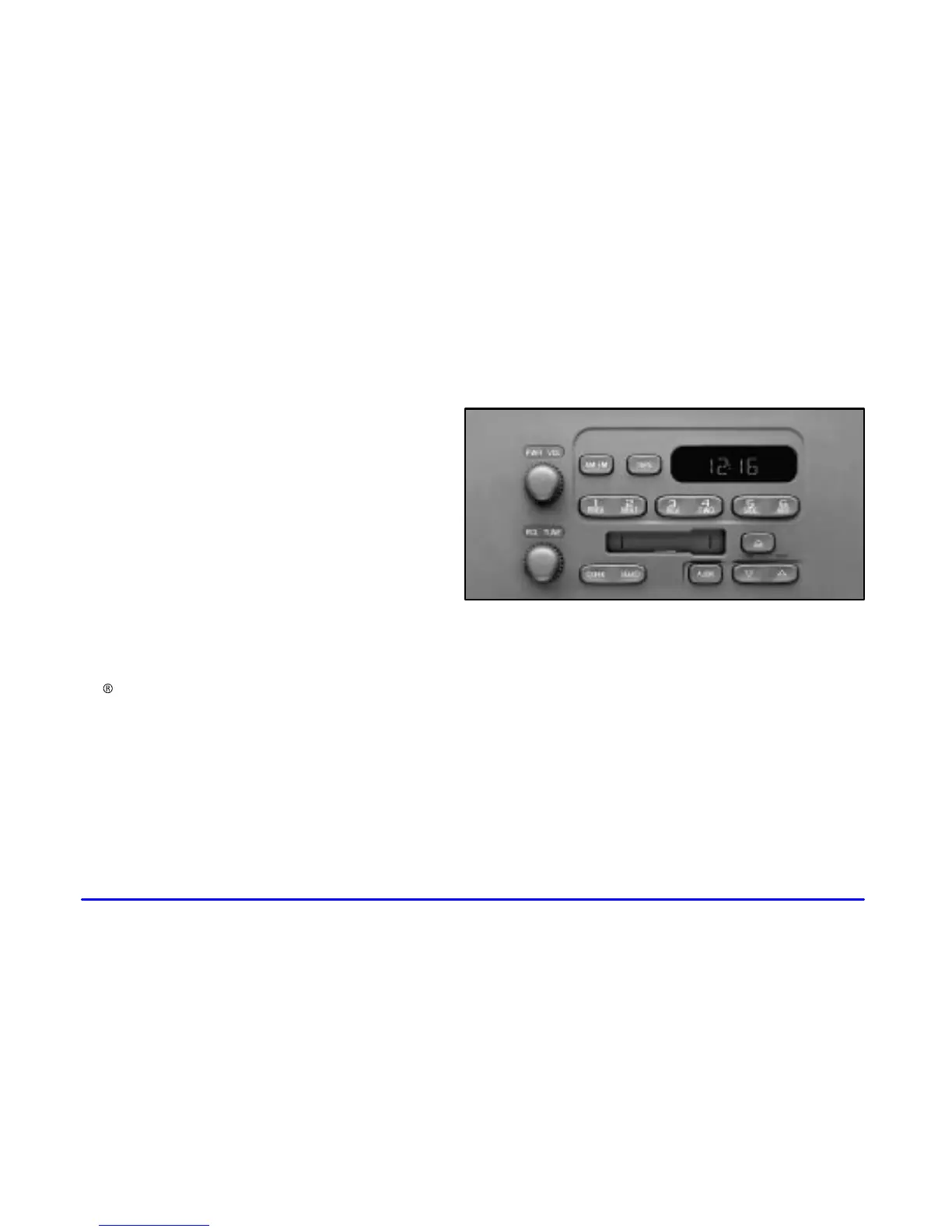
AM FM Stereo with Cassette Tape Player
(If Equipped)
Playing the Radio
PWR (Power): Press this knob to turn the system on
and off.
VOL (Volume): Turn this knob clockwise to increase
volume. Turn it counterclockwise to decrease volume.
RCL (Recall): Pressing this knob will display the
station being played or it will display the clock. Clock
display is available with the ignition turned off.










 To Next Page