11
Settings, Sights and Sounds
Siri® Eyes Free
Siri Eyes Free allows hands-free access to the voice recognition commands on a compat-
ible iPhone®. The cell phone must be paired to the in-vehicle Bluetooth system. For more
information, visit my.chevrolet.com/learn.
To activate Siri Eyes Free, press and hold the
Push to Talk button on the steering
wheel until tones sound.
Wireless Charging for Mobile Devices
F
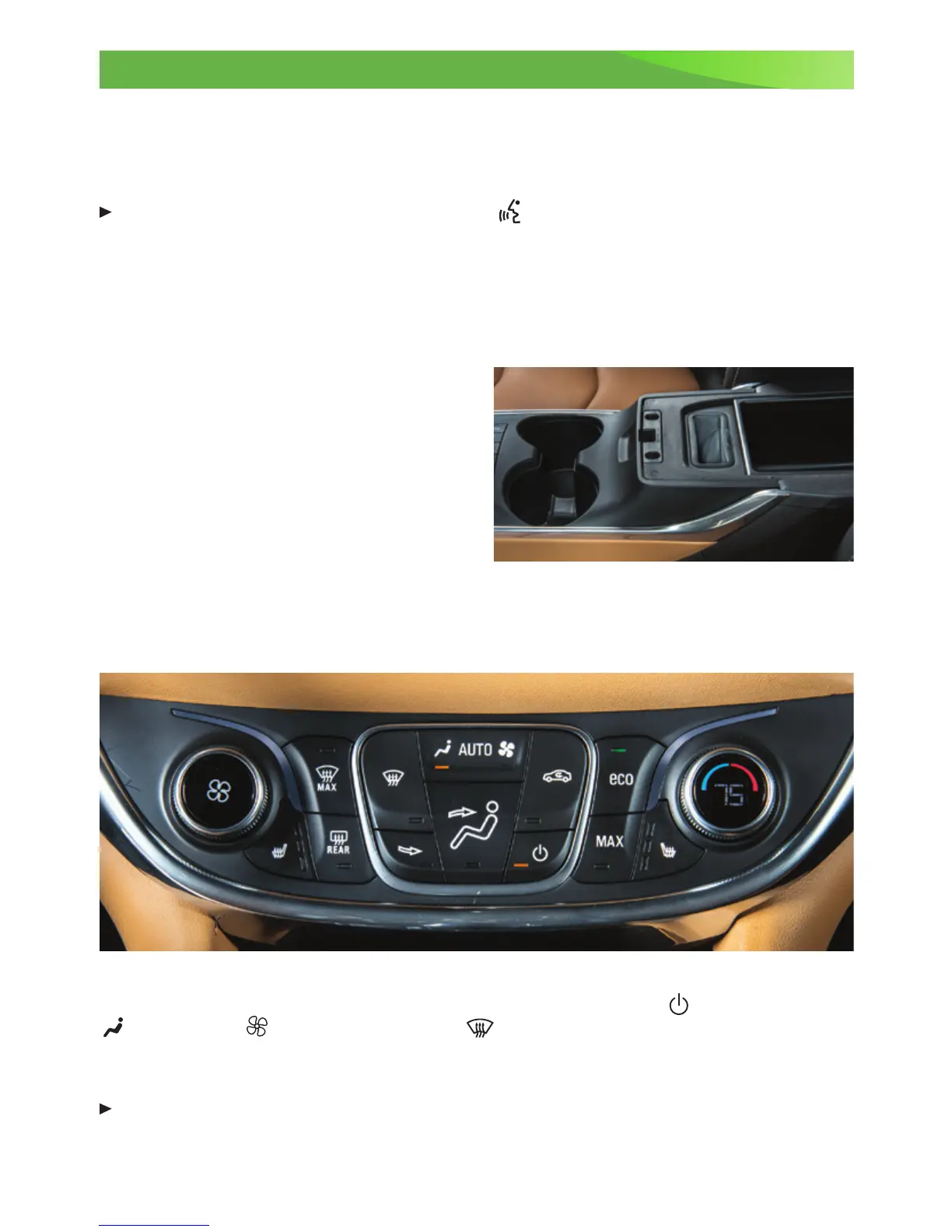
The Wireless Charging system is located under the center console armrest. A compatible
wireless charging adapter (not supplied) for the device may be needed. For more informa-
tion and to check mobile device compatibility, visit my.chevrolet.com/learn.
1. The vehicle must be on.
2. Remove all objects from the
charging slot.
3. Place the mobile device upright, facing
the rear seats, in the charging slot.
4. Move the device slowly until the battery
charging symbol displays on the center
touch screen, indicating the device is
charging.
See Infotainment and Instruments and Controls in your Owner Manual.
Climate Controls
Note: Under certain conditions, the engine will start to ensure full heat and defrost capability.
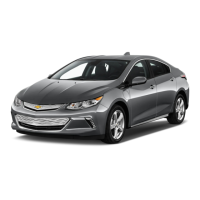
The indicators on the climate controls show which feature is active:
Climate Power,
Auto Airow,
Auto Fan, eco, MAX, or
Defrost.
Climate temperature is displayed on the temperature knob. Changes in the climate
system functions are displayed on the touch screen.
Press the AUTO button to have the system operate automatically.
See Climate Controls in your Owner Manual.
F
Optional equipment













 To Next Page