
 Need help?
Do you have a question about the Chevrolet BLAZER EV 2024 and is the answer not in the manual?
Digital display showing vehicle information, alerts, and settings.
Buttons for cruise control, Super Cruise, and collision alerts.
Alerts for potential forward collisions.
Indicates the status of the airbag system.
Indicates the status of the lane keeping assist system.
Controls for cabin temperature, fan speed, and air distribution.
Indicator for the ABS system functionality.
Alerts when tire pressure is below the recommended level.
Warning for a malfunction in the high-voltage battery system.
Procedure to turn on the vehicle using the key fob.
How to view and navigate cluster display layouts and menus.
Information on the battery state of charge and estimated range.
Gauge for instantaneous charge and consumption power.
System to hold the vehicle stationary without brake pedal.
Using the paddle to activate regenerative braking.
Enabling and customizing one-pedal driving for efficiency.
Storing and recalling preferred seat and mirror settings.
Navigating menus to turn features on/off and customize settings.
Accessing Google Assistant, Maps, and Play Store.
Steps to pair a Bluetooth-enabled device with the vehicle.
Maintaining a following gap and adjusting speed automatically.
Changing between regular and adaptive cruise control.
Alerts for potential forward collisions and vehicle proximity.
Helps avoid or reduce collision severity with detected vehicles.
Assistance for intersection collisions with cross-traffic.
Helps avoid collisions with vehicles in adjacent lanes.
Braking assistance for pedestrians and bicyclists.
Automatic braking for potential rear collisions.
Alerts and braking for cross traffic when reversing.
Using the app for charging management and scheduling.
Steps to initiate vehicle charging.
Details on public fast charging stations and usage.
Overview of the mobile app's capabilities for charging.
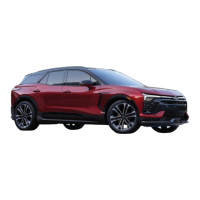
This document is a quick reference guide for the 2024 Chevrolet Blazer EV, providing an overview of its important features. It covers various aspects of the vehicle, including the instrument panel, infotainment system, driver assistance features, and charging functionalities.
The instrument panel includes controls for power locks, driver's memory seat, electric parking brake, lane keep assist, auto hold, and instrument panel illumination. The turn signal lever also controls windshield wipers and the rear wiper. A "Regen on Demand" paddle is available for regenerative braking. The driver display shows essential information, and an electronic precision shift lever is used for gear selection. Additional controls on the steering wheel include cruise control, Super Cruise, forward collision alert, audio favorite station/seek, audio volume, driver information center, and heated steering wheel buttons.
The infotainment system features a touchscreen display with controls for volume and quick access. It offers Google built-in compatibility, providing access to Google Assistant, Google Maps, and Google Play. Users can manage home page icons by dragging them to desired positions and store radio station favorites from AM, FM, or SiriusXM bands. The system supports Bluetooth for phone pairing and audio streaming, and USB connections for audio sources.
The remote keyless entry transmitter (key fob) allows for locking/unlocking doors and the liftgate, vehicle location/panic alarm activation, power liftgate operation, and remote start. The keyless access system enables door and liftgate operation without removing the key fob from a pocket or bag, provided the fob is within 3 feet of the vehicle. Passive locking/unlocking features can be configured to automatically lock doors after a short delay or unlock them upon driver's door use.
The vehicle features Hands-Free Start, automatically powering on when the key fob is in the cabin, the driver's door is closed, the seat belt is buckled, and the brake pedal is pressed. To power off, the vehicle must be in Park, the seat belt unbuckled, and the driver's door opened. The electronic precision shift lever, located on the right side of the steering column, controls the drive unit. Positions (Park, Reverse, Neutral, Drive) are illuminated in red on the lever and displayed on the cluster. The driver's seat belt must be buckled to shift.
The Drive Mode settings adjust various vehicle systems based on driving preferences. Available modes include Tour (normal driving), Sport (enhanced responsiveness), Snow/Ice (enhanced traction), and My Mode (customizable settings for acceleration, brake feel, steering, and motor sound).
Automatic Vehicle Hold keeps the vehicle stationary after the brake pedal is released until the accelerator is pressed. The "AUTO HOLD" indicator illuminates in green when active. The electric parking brake is applied by pressing its button and released by turning on the vehicle, pressing the brake pedal, and then pressing the (P) button. It can release automatically if the vehicle is placed in Drive or Reverse and an attempt is made to drive away.
Regen on Demand regenerates energy from the vehicle's momentum, storing it in the propulsion battery. It is activated by pulling and holding the paddle on the back of the left side of the steering wheel. One-Pedal Driving allows the vehicle to slow or stop by releasing the accelerator pedal, using regenerative braking to increase energy efficiency. This feature can be enabled and customized via the infotainment system.
Factors influencing energy use and driving range include driving technique (avoiding rapid acceleration/braking), terrain (hills, weather), and climate settings (heating/cooling). Outside temperature also affects aerodynamics and range.
The HUD projects operating information and vehicle messages onto the windshield. Its brightness and position can be adjusted via the infotainment screen.
Manual front-seat adjustments include sliding the seat forward/rearward, raising/lowering seat height, and reclining the seatback. Power front-seat adjustments include seat adjustment, seatback recline, and lumbar support. Memory positions for the driver's seat and outside mirrors can be set and recalled.
The vehicle features dual-zone climate controls (single-zone similar). Controls include driver and passenger temperature, ON/OFF, AUTO operation, fan speed, max defrost, rear defog, heated outside mirrors, and heated wiper park. The AUTO switch automatically controls fan speed, air delivery, A/C, and recirculation. Climate settings can be adjusted via the infotainment screen, including using the fan only for distribution or activating electric heating/cooling.
Various vehicle features can be customized through the Settings and Controls menus on the infotainment screen.
The wireless phone charging system is located in the center console. To charge, the vehicle must be on, all objects removed from the pad, and the phone placed screen up on the pad. A charging symbol will display on the infotainment screen.
This system maintains a driver-selected following gap to a vehicle ahead by automatically accelerating or braking. It can be switched between regular Cruise Control and Adaptive Cruise Control. The following gap can be set to Far, Medium, or Near.
The IntelliBeam system automatically turns high-beam headlamps on/off based on traffic conditions at night, activating when driving over 25 mph. Headlights must be set to Auto or On.
The power liftgate can be opened/closed using the remote keyless entry transmitter, a button on the driver's door panel, or a button above the license plate. It can also be closed using a button next to the liftgate latch. Hands-free operation allows the liftgate to open automatically when the key fob is within 3 feet of the rear-center of the vehicle. The liftgate height can be programmed.
The vehicle includes various driver assistance features:
The charging status indicator on the instrument panel shows the current charging status (solid blue for initial plug-in, flashing green for charging, solid green for complete, slow flashing blue for delayed charging, flashing red for not charging, no light for not plugged in or issue, no light with three tones for open charge port door). To start charging:
The myChevrolet Mobile App allows users to set charge notifications, customize charge settings, view mileage range, battery status, and state of charge. Its Energy Assist features help find charging stations with real-time availability and initiate charging sessions. The app also includes a map with estimated travel range and an intelligent route planner. 2024 Blazer EV owners receive up to 8 years of EV Access features.
 General
| Brand | Chevrolet |
|---|---|
| Model | BLAZER EV 2024 |
| Category | Automobile |
| Language | English |








 To Next Page