9-34 Driving and Operating
Parking Brake
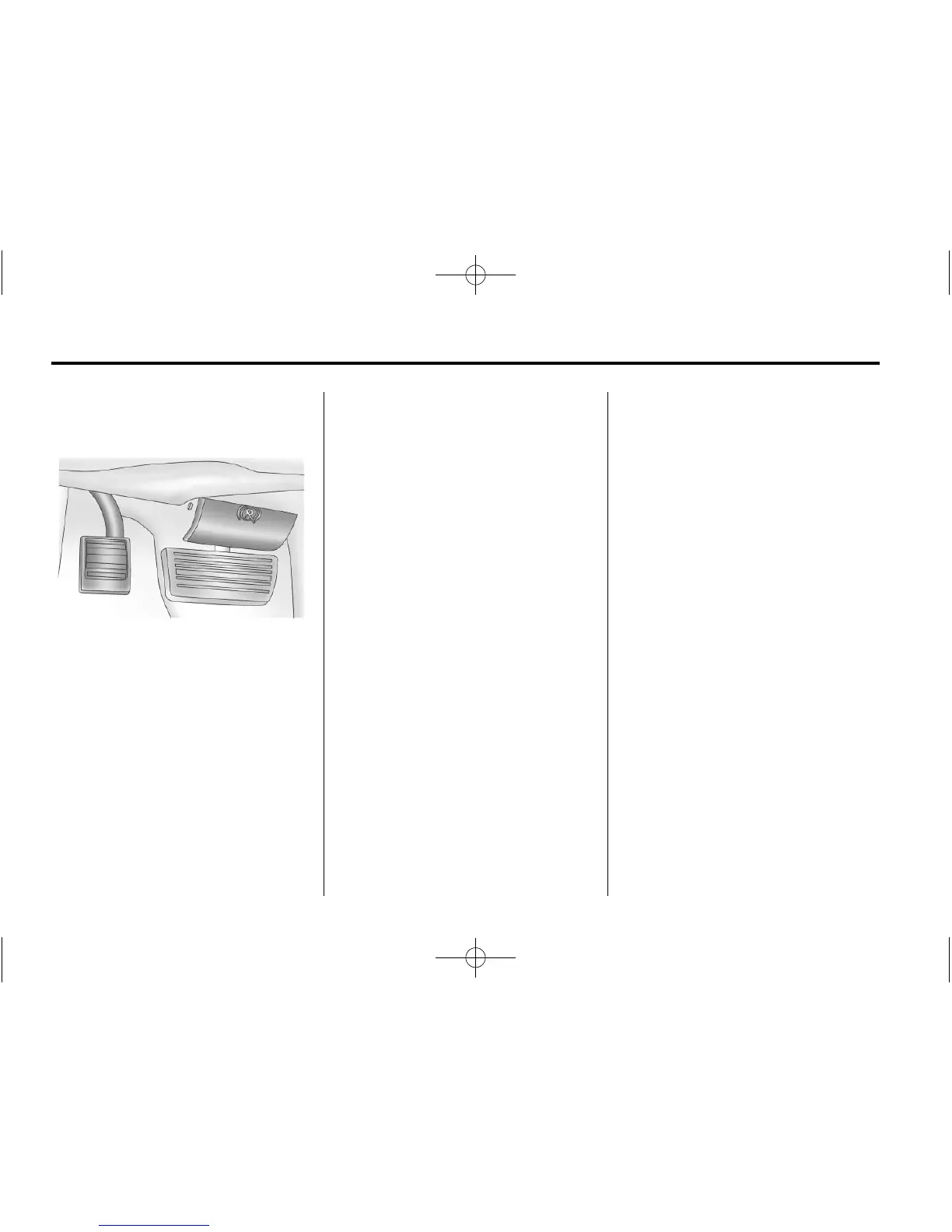
To set the parking brake, hold the
regular brake pedal, then push
down the parking brake pedal.
If the ignition is on, the brake
system warning light will come on.
To release the parking brake,
hold the regular brake pedal down.
Pull the handle, located just above
the parking brake pedal, with the
parking brake symbol, to release
the parking brake.
If the ignition is on when the parking
brake is released, the brake system
warning light will go off.
Notice: Driving with the parking
brake on can overheat the brake
system and cause premature
wear or damage to brake system
parts. Verify that the parking
brake is fully released and the
brake warning light is off
before driving.
If you are towing a trailer and
are parking on a hill, see Driving
Characteristics and Towing Tips on
page 9‑46.
Ride Control Systems
StabiliTrak
®
System
The vehicle may have a vehicle
stability enhancement system called
StabiliTrak. It is an advanced
computer controlled system that
assists the driver with directional
control of the vehicle in difficult
driving conditions.
StabiliTrak activates when the
computer senses a discrepancy
between the intended path and
the direction the vehicle is actually
traveling. StabiliTrak selectively
applies braking pressure at any
one of the vehicle's brakes to assist
the driver with keeping the vehicle
on the intended path.








 To Next Page