
 Need help?
Do you have a question about the Chevrolet SILVERADO 1500 2022 and is the answer not in the manual?
Describes buttons on the steering wheel for various functions like cruise control, audio, and information.
Covers buttons and levers on the dashboard and steering column for lights, wipers, and power features.
Explains the central display for vehicle information and its controls.
Describes the touchscreen, its home page, and associated controls.
Covers climate control knobs, heated/ventilated seats, and mirror defog.
Details buttons for driver assistance, power features, and other vehicle functions.
Explains the engine start/stop button, shift lever, and trailer brake control.
Covers locking, unlocking, remote start, and tailgate functions.
Details remote window control and mirror folding.
Explains how to unlock/lock the vehicle without removing the fob.
Guide to starting, stopping, and using accessory mode with the key fob.
Explains the auto stop/start function and how to disable it.
Describes the interlock preventing shifting from Park without a seatbelt.
Explains how to select Park, Reverse, Neutral, Drive, and Low gears.
Details how to use the steering wheel paddles for manual gear changes.
Instructions for programming memory buttons for seat and mirror settings.
How to recall saved seat and mirror positions automatically or manually.
Explains how to use stem and steering wheel controls to access menus.
Details how to select which data to display in the DIC.
Covers how to change the HUD's placement and illumination.
Explains how to cycle through different information displays on the HUD.
Controls for cabin temperature, fan speed, and air delivery modes.
Details on heated/ventilated seats and heated steering wheel.
Buttons for safety systems, traction, engine start, and axles.
How to personalize features via the infotainment system menus.
Instructions on how to customize the arrangement of apps on the home page.
Guide to saving preferred AM, FM, or SiriusXM stations.
Details on satellite radio service and integrated Google features.
Explains how to connect and use Apple CarPlay and Android Auto.
Steps for connecting and setting up mobile devices for calls and audio.
Instructions for adding a second phone for calls.
How to find the Wi-Fi network name and password.
Guide to placing and charging compatible phones wirelessly.
Explains knob operation, auto lighting, fog lamps, and cargo lamps.
Details on automatic high-beam operation and activation.
How to use ACC for speed and following distance.
Explains how to use the control knob to select modes like Normal, Sport, or Off-Road.
Details on using buttons to select AUTO, 2WD, 4WD High, and 4WD Low.
Covers Forward Collision Alert, Following Distance, and Automatic Emergency Braking.
Details on Front/Rear Pedestrian Braking and Lane Change/Blind Zone Alerts.
Explains how the seat provides haptic feedback for alerts.
Covers Lane Keep Assist, Park Assist, and Rear Cross Traffic Braking.
Explains how to use and adjust the advanced rear-view mirror.
Describes the rear camera and the 360-degree surround vision system.
Explains additional views for trailering and the Jack-Knife Alert system.
How to engage axle locks for off-road traction.
System for maintaining speed on steep declines.
Explains low pressure warnings and tire fill alerts.
Describes the 6 functional positions for accessing the cargo box.
How to open the primary gate, inner gate, and load stop.
How to enable or disable the inner gate operation.
Details on the in-vehicle app, information label, and hitch lighting.
How to use the system to adjust trailer brake output.
Information on the standard roadside assistance program.
How to use OnStar for roadside help.
Describes app features like remote start, locking, and diagnostics.
Guide to accessing the online owner's manual and other resources.
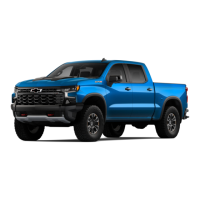
This document is a Quick Reference Guide for the 2022 Chevrolet Silverado 1500, providing an overview of its key features and functionalities. It covers the instrument panel, various controls, infotainment system, driver assistance systems, and other vehicle-specific operations.
The instrument panel features a Driver Information Center (DIC) that displays vehicle messages and system information. Controls for the DIC are located behind the steering wheel (HUD Controls) and on the right side of the steering wheel (Mid-level and Uplevel DIC Controls). The steering wheel also integrates controls for Cruise Control, Forward Collision Alert, Heated Steering Wheel, and Super Cruise. The turn signal, windshield wipers, and IntelliBeam controls are on a lever.
The center console includes controls for Power Mirror/Window, Electric Parking Brake, 4WD/Driver Mode, Exterior/Instrument Panel/Cargo Lamp, and Audio Next/Previous/Favorite Station. Power Steering Wheel Adjustment is located on the steering column, and Audio Volume Control is on the back of the steering wheel.
The guide provides a legend for various symbols, including:
The infotainment system features a power/volume control, home page button, and a touchscreen. It offers applications tray for shortcuts, and additional pages accessible by swiping. The system supports Bluetooth and USB connections for compatible devices, offering hands-free voice control. It can be used to manage home page icons and store favorite radio stations (AM, FM, SiriusXM).
This feature provides over 200 channels of ad-free music, sports, comedy, talk, and news, along with On Demand shows. A SiriusXM subscription and Connected Access plan are required.
The vehicle integrates Google Assistant, Google Maps, and Google Play. Google Assistant allows voice control for directions, media, and vehicle functions. Google Maps offers real-time traffic information and rerouting. Google Play enables downloading apps like Spotify and iHeart Radio. Internet connectivity and a data plan are required for downloading and using apps.
These systems allow integration with compatible smartphones. Apple CarPlay does not require an app download, while Android Auto requires its app from the Google Play Store. Connection can be wireless (via Bluetooth) or wired (via USB data port).
The Bluetooth system allows pairing up to two phones. The first paired phone connects automatically, while the second can only receive calls. Pairing requires the vehicle to be stopped.
The vehicle's available 4G LTE Wi-Fi Hotspot can connect up to 7 devices (smartphones, tablets, laptops) to high-speed internet. The hotspot name and password can be retrieved via the infotainment system.
Located in the center console, this system charges compatible phones wirelessly. The vehicle must be On or have Retained Accessory Power active. Objects must be removed from the charging pad, and the phone placed screen-up.
The key fob offers several functions:
Allows operation of doors and tailgate without removing the key fob, provided it's within 3 feet of the vehicle.
Automatically turns off the engine (Auto Stop) when the vehicle is at a complete stop and operating conditions are met. Engine restarts when brake is released or accelerator is pressed. Can be disabled via a button on the instrument panel.
Prevents shifting out of Park if the driver's seat belt is not buckled. Can be turned on/off via the infotainment screen.
The shift lever always returns to a center position. Selected gear illuminates in red.
Provides a wider, less-obstructed field of view.
Up to 8 cameras and 14 views are available for hitching and towing.
Switches on instrument panel lock front and rear axles for additional traction in off-road conditions. Vehicle must be stopped to lock axles. Rear axle must be locked, and transfer case in 4LO, to lock front axle. Do not drive on pavement with axles locked.
Maintains vehicle speed (1-14 mph) while descending steep inclines in forward or reverse gear (below 31 mph to enable). Press button on instrument panel to activate. Speed can be adjusted with accelerator, brake, or Cruise Control +/- buttons.
Low Tire Pressure warning light illuminates when tires are underinflated. Current pressures can be viewed on DIC. Tire Fill Alert provides visual and audible alerts during inflation.
The tailgate has 6 functional positions:
Chevrolet Roadside Assistance is available for 5 years/60,000 miles. Contact 1-800-CHEV-USA (1-800-243-8872) or TTY 1-888-889-2438 for light services or towing. OnStar Safety & Security plan users can press the blue OnStar button or red Emergency button for assistance.
Downloadable app for smartphones to start/turn off engine, lock/unlock doors, view diagnostic info, and see parking location. Requires compatible device, service availability, and data plan.
Online resource at chevrolet.com/owners for personalized information, owner's manual, how-to videos, service history, warranty status, and vehicle diagnostics reports.
 General
| Brand | Chevrolet |
|---|---|
| Model | SILVERADO 1500 2022 |
| Category | Automobile |
| Language | English |




 To Next Page