1-20 In Brief
When using a 120-volt AC electrical
outlet, it will take approximately
10 hours to charge the vehicle with
the 12 amp AC current setting or
16 hours using the default 8 amp
AC current setting. When using a
240-volt charging station, it will take
approximately four hours to charge
the vehicle. Charge times will vary
with outside temperature. There
are three ways to program how
the vehicle is charged. See
Programmable Charging on
page 5-31.
The charging system may run fans
and pumps that result in sounds
from the vehicle while it is turned
off. Additional unexpected clicking
sounds may be caused by the
electrical devices used while
charging.
While the charge cord is plugged
into the vehicle, the vehicle cannot
be driven.
Charging
Start Charge
1. Make sure the vehicle is parked
and turned off.
2. Push the rearward edge of the
charge port door in and release
to open the door.
In cold weather conditions, ice
may form around the charge port
door. Remove ice from the area
before attempting to open or
close the charge port door.
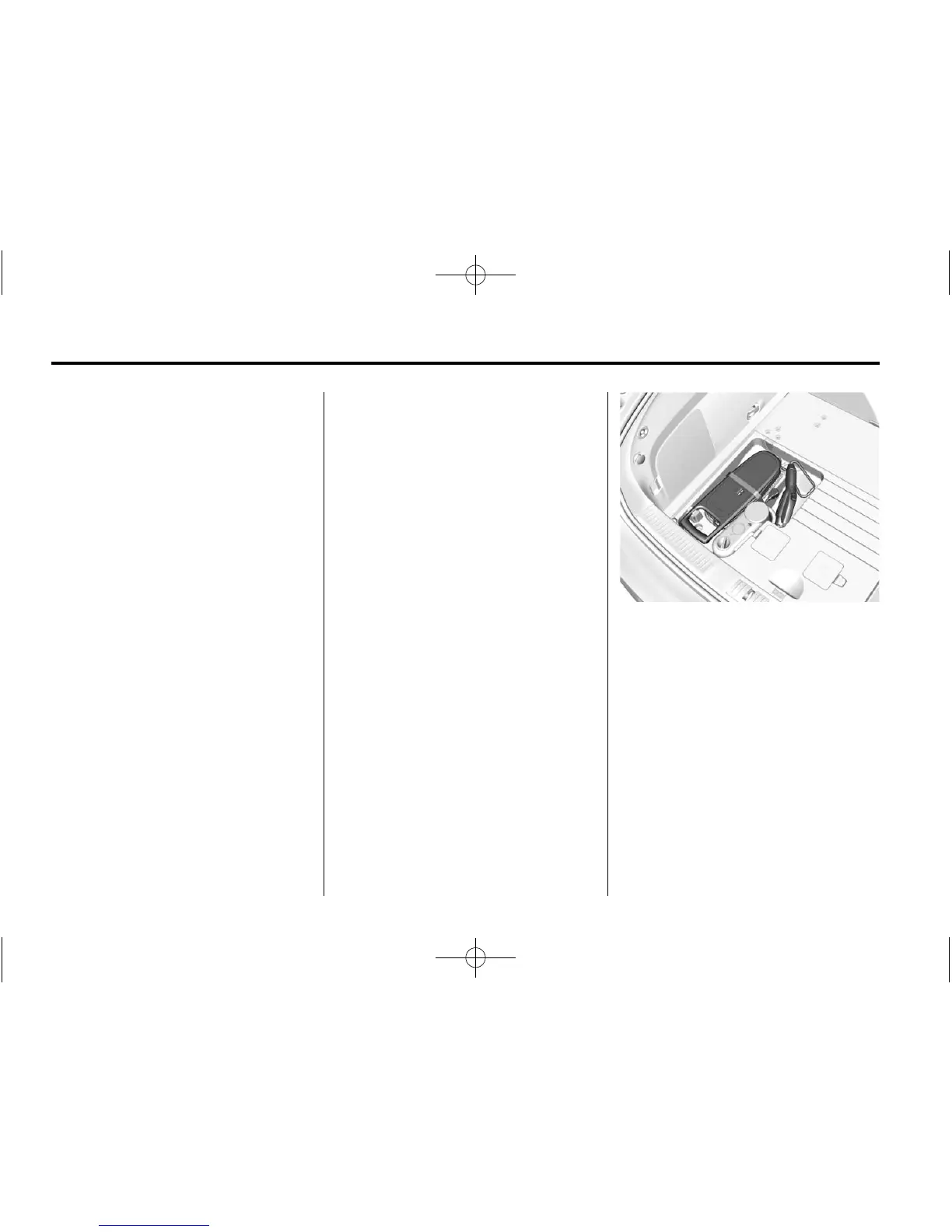
3. Open the rear hatch, lift the load
support floor covering, and
remove the charge cord. It is
near the tire sealant and
compressor kit. Pull up on the
charge cord handle to release.
The vehicle plug is stored as
shown.
4. Plug the charge cord into the
electrical outlet. See Electrical
Requirements for Battery
Charging on page 9-54. Verify
the charge cord status. See
Charge Cord on page 9-53 and
the charge cord user guide for
more information.











 To Next Page