1
SQ-5016
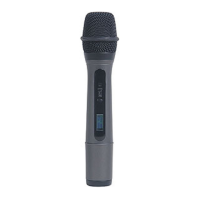
UHF Handheld Microphone
Parts and functions
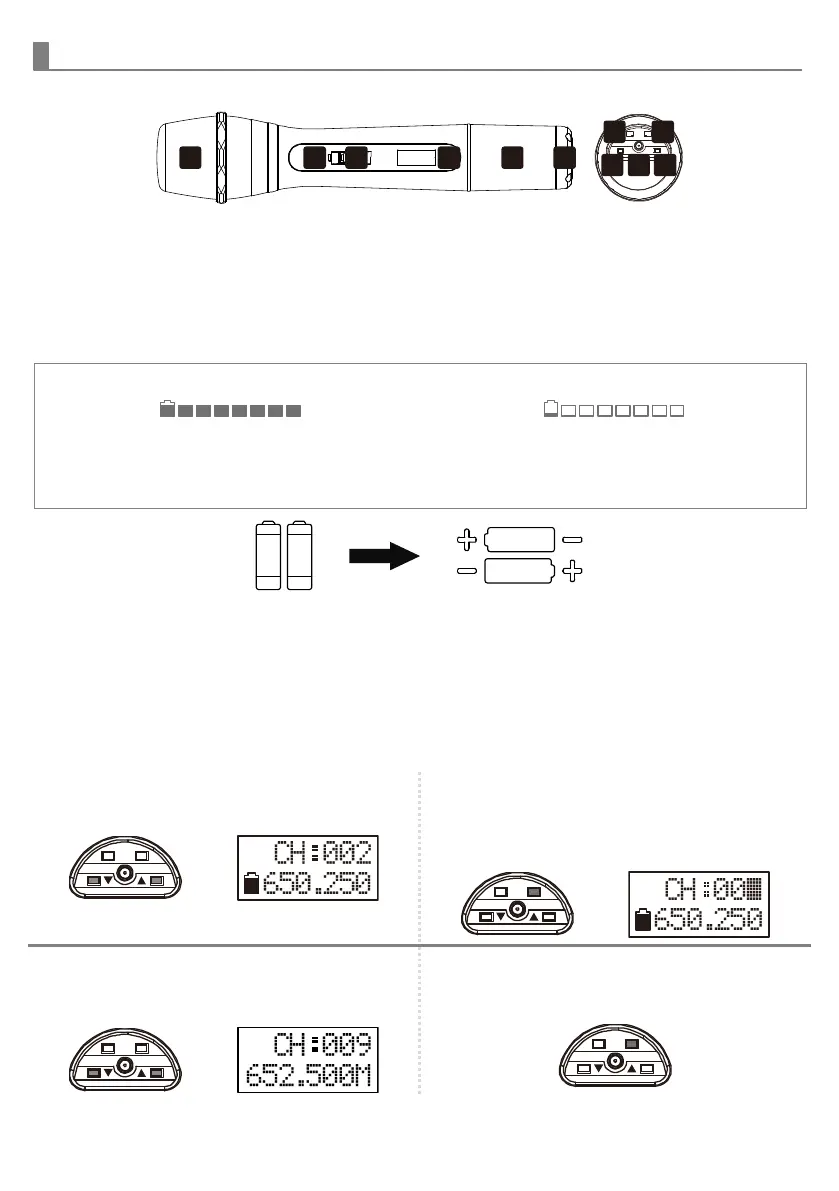
1. Cartridge
2. Battery weak/power LED
3. Power switch
4. LCD
5. Battery compartment
6. Bottom cap
7. Locking button
8. Setting button
9. Up button
10. Charging port
11. Down button
Battery installation & indicator
When the microphone is switched ON, the
power indicator
②
will blink once to denote
the batteries are in good condition.
If the LED remains illuminated, it means the
batteries are weak and require replacement.
This microphone requires two AA batteries to
operate.
To install, remove the battery cover and slide
the batteries into the battery compartment &
replace the battery cover.
Note: Batteries contain corrosive acid that may leak and damage the microphone when stored for a long
period. Batteries should be removed from the microphone before storing without use for more than 4 weeks.
Channel setting
1 Use UP▲ / DOWN▼ button to go to the
CHANNEL|FREQUENCY page.
2 Press and hold the SET button for 2
seconds, then the upper-right channel
number will flash to allow changes to be
made.
3 Press UP▲ / DOWN▼ buttons to change
the channel number. The corresponding
frequency will change accordingly.
4 After selecting a channel, press and hold
the SET button for 2 seconds or wait 9
seconds to save the setting.


 To Next Page
 Loading...