Control Panel Button Function
VOL+: Volume up.
VOL-: Volume down.
CH+: TV channel up.
CH-: TV channel down
MENU: Press to select the main menu.
SOURCE: Select the input signal.
POWER: Turn the TV on or off.
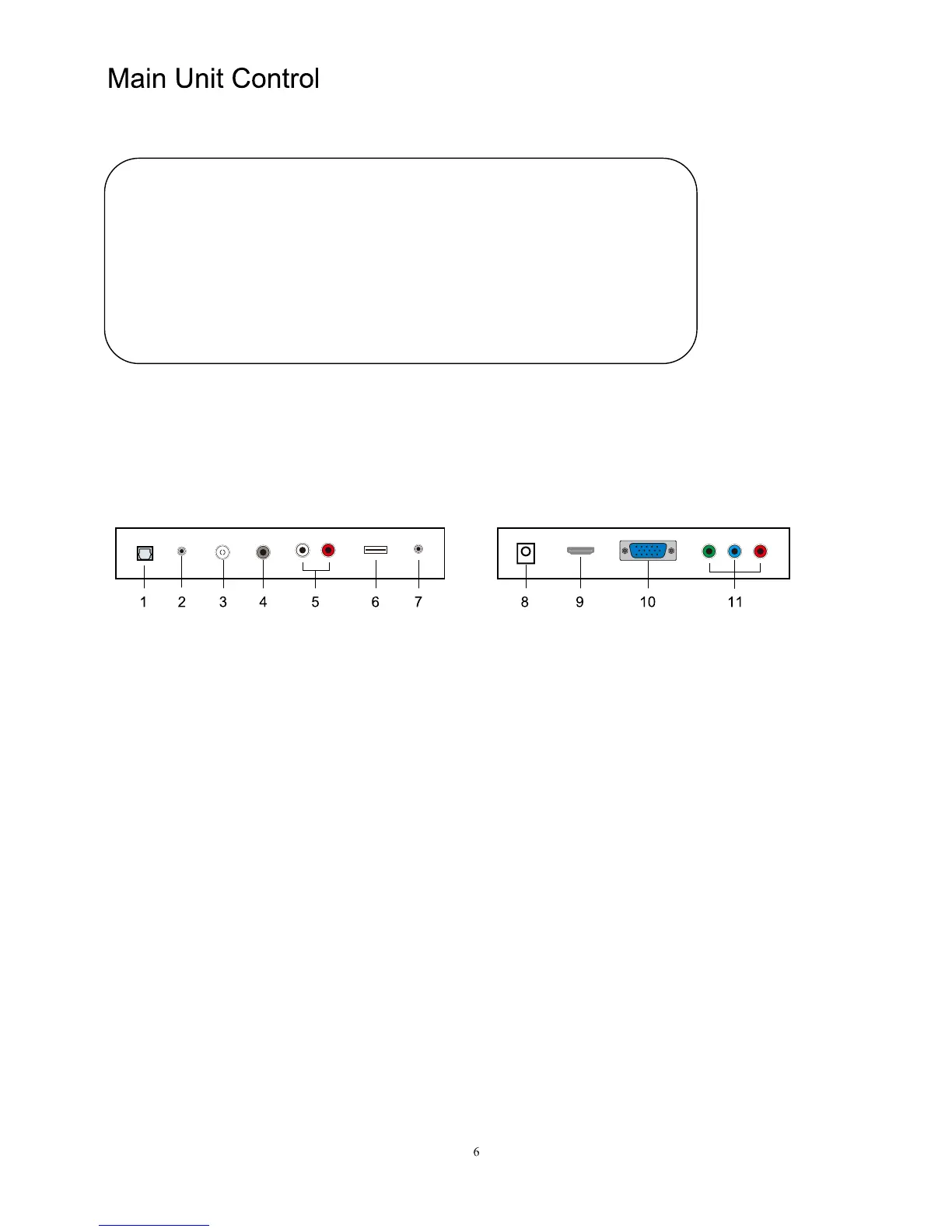
TV Terminal Connections
1. OPTICAL output terminal.
2. PC AUDIO input terminal.
3. RF antenna.
4. Video input terminal.
5. Audio input terminal.
6. USB input terminal.
7. EARPHONE output terminal.
8. DC input terminal.
9. HDMI/MHL input terminal.
10. VGA input terminal.
11. YPbPr input terminal.


 To Next Page