Service Mode
BATTERY RECONNECT
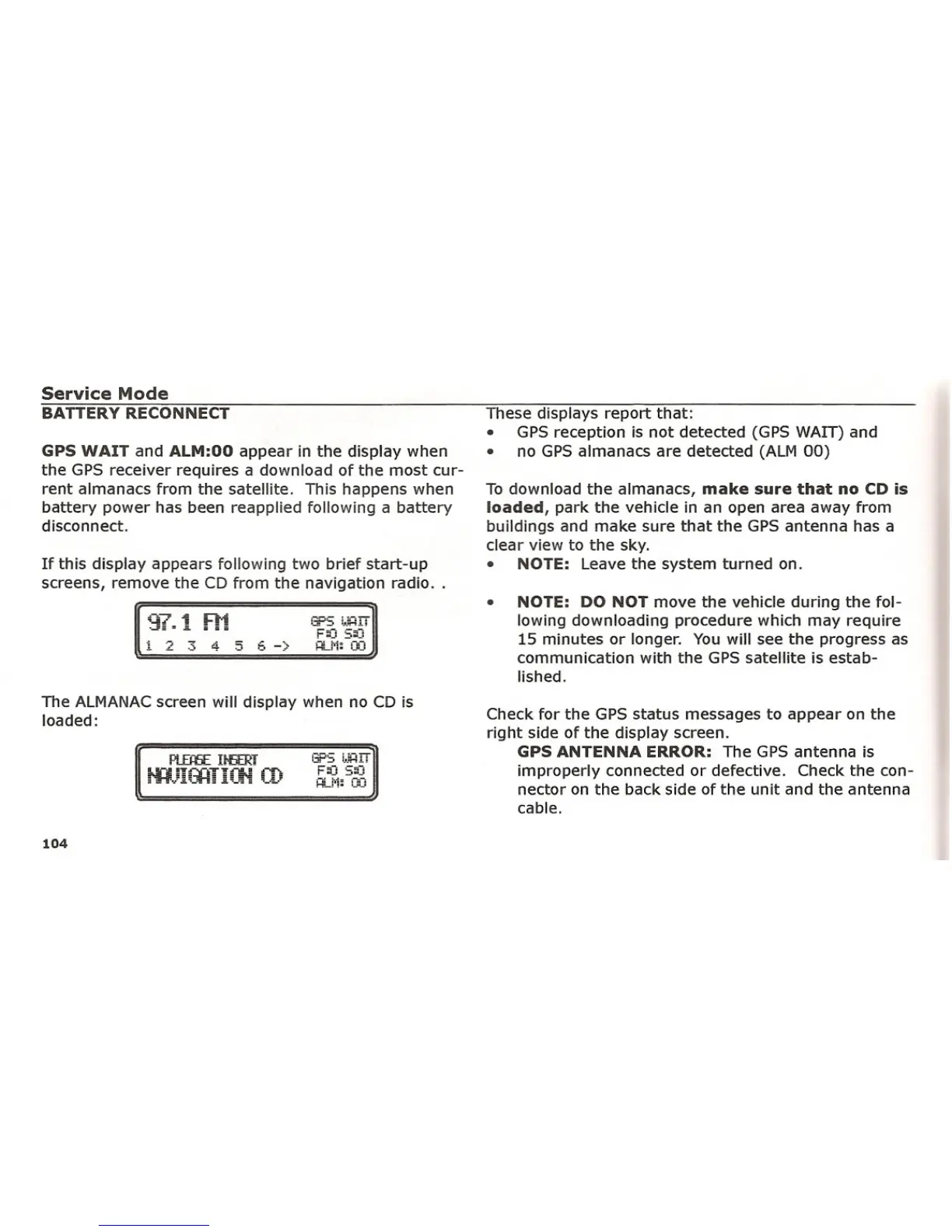
If this display appears following two brief start-up
screens, remove the CD from the navigation radio ..
GPS WAIT and ALM:OO appear in the display when
the GPS receiver requires a download of the most cur-
rent almanacs from the satellite. This happens when
battery power has been reapplied following a battery
disconnect.
NOTE: DO NOT move the vehicle during the fol-
lowing downloading procedure which may require
15 minutes or longer. You will see the progress as
communication with the GPS satellite is estab-
lished.
•
To download the almanacs, make sure that no CD is
loaded, park the vehicle in an open area away from
buildings and make sure that the GPS antenna has a
clear view to the sky.
• NOTE: Leave the system turned on.
These displays report that:
• GPS reception is not detected (GPS WAIT) and
• no GPS almanacs are detected (ALM 00)
F::J 5;::J
H-l'l: OCi
!3PS !.•.:HIT
1 L. .::. 4-
5 E.->
The ALMANAC screen will display when no CD is
loaded:
Check for the GPS status messages to appear on the
right side of the display screen.
GPS ANTENNA ERROR: The GPS antenna is
improperly connected or defective. Check the con-
nector on the back side of the unit and the antenna
cable.
104















 To Next Page