• *LANGUAGE: Set the language for the system.
• ANIMATION: Activate/de-activate the display
animation.
• MEASURING SYSTEM: Set the measurement system
to either US Standard (miles/yards) or Metric
(kilometers/meters) .
• ANNOUNCEMENT ETA: Activate/de-activate
announcement of the expected time of arrival (ETA).
Save Position
Navigation
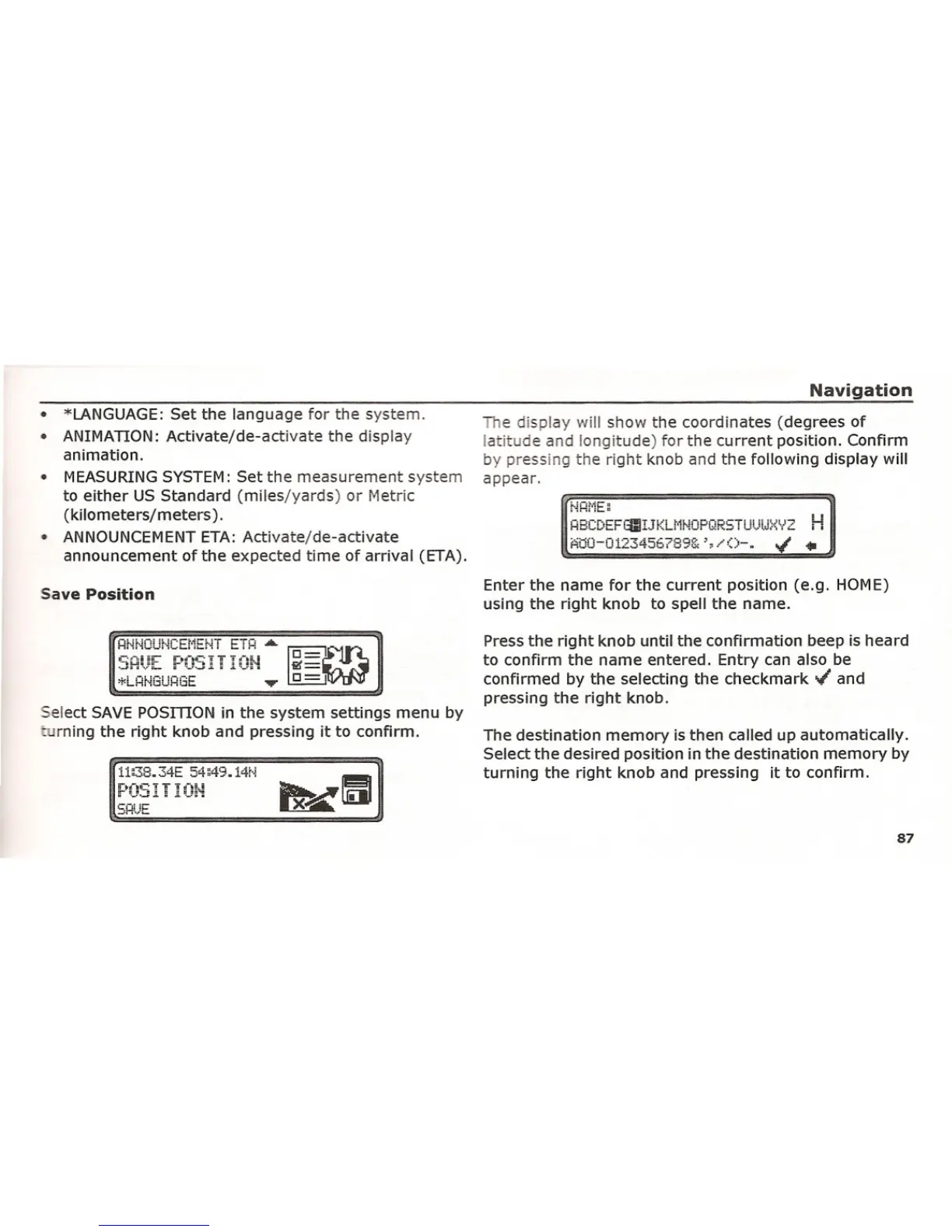
The display will show the coordinates (degrees of
latitude and longitude) for the current position. Confirm
by pressing the right knob and the following display will
appear.
r·iHl'iE~
HBC[)EFtClIJKLr'i~10PQRSTUUlJ::<:\i2
H
f::itiO-0123456?89& ',/()-. '" .••
Enter the name for the current position (e.g. HOME)
using the right knob to spell the name.
Select SAVE POSmON in the system settings menu by
L rning the right knob and pressing it to confirm.
*LHf'1GUHGE
i1:38.AE 54;49.14[-1
P051 I 101-1
Press the right knob until the confirmation beep is heard
to confirm the name entered. Entry can also be
confirmed by the selecting the checkmark '" and
pressing the right knob.
The destination memory is then called up automatically.
Select the desired position in the destination memory by
turning the right knob and pressing it to confirm.
87















 To Next Page