Clock Operation
CLOCK OPERATION
The clock on the navigation unit receives its time from
the GPS receiver in the radio. This time is known as
Coordinated Universal Time (UTC), which is colloquially
"Greenwich Mean lime (GMT)." You must choose your
local time zone to display the current local time by
setting the clock.
DISPLAYING THE CURRENT TIME
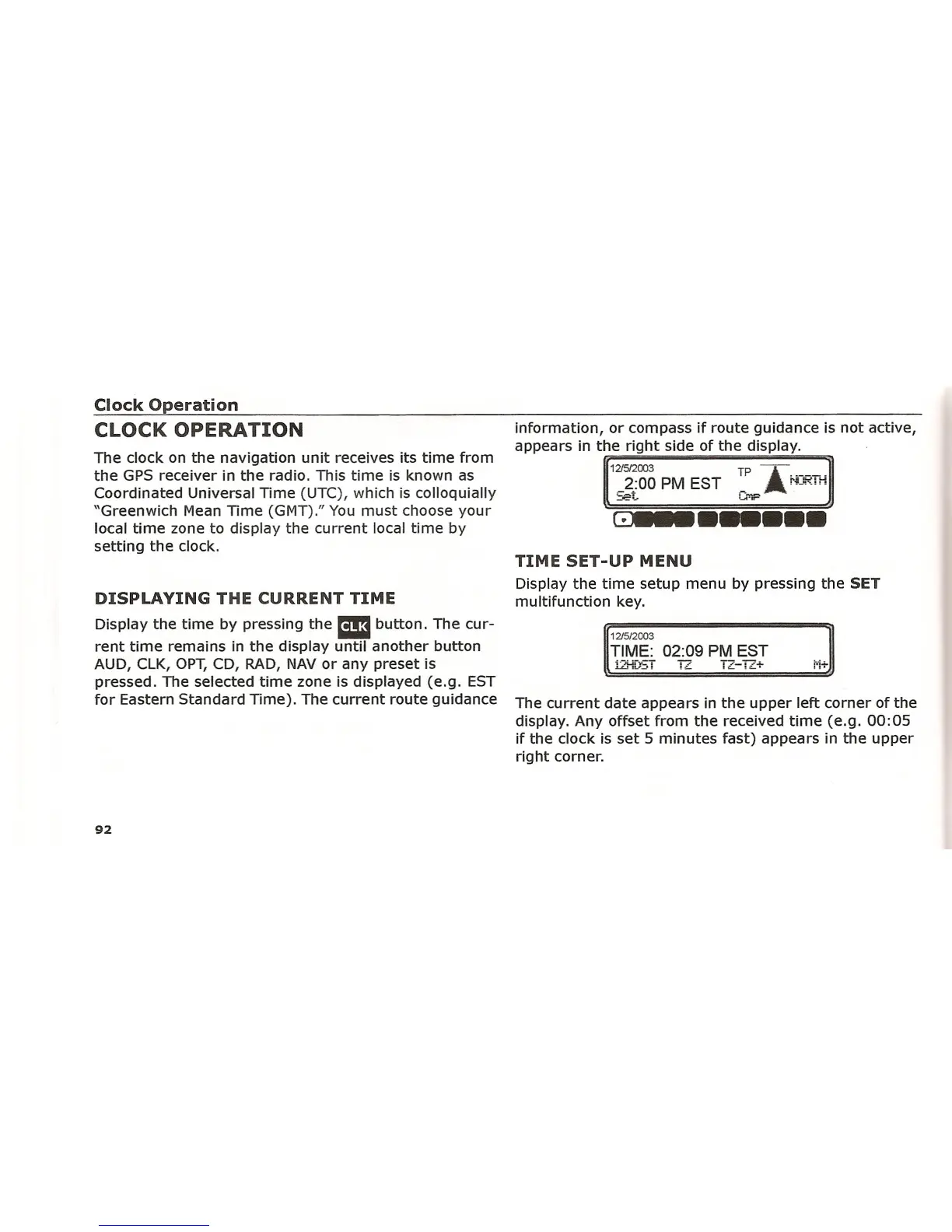
Display the time by pressing the Em button. The cur-
rent time remains in the display until another button
AUD, ClK, OPT,CD, RAD, NAV or any preset is
pressed. The selected time zone is displayed (e.g. EST
for Eastern Standard Time). The current route guidance
92
information, or compass if route guidance is not active,
appears in the right side of the display.
12/512003 TP A., .-----..J_2:00 PM EST _A ru<:;"
~t 1..••"'lF
G•••••••••
TIME SET-UP MENU
Display the time setup menu by pressing the SET
multifunction key.
12/5/2003
TIME: 02:09 PM EST
12HDST IT TZ-
12+ ;,;+
The current date appears in the upper left corner of the
display. Any offset from the received time (e.g. 00:05
if the clock is set 5 minutes fast) appears in the upper
right corner.















 To Next Page