Clock Operation
•••••88•••
0(/11/2002
TIME: 9:23 RH CST
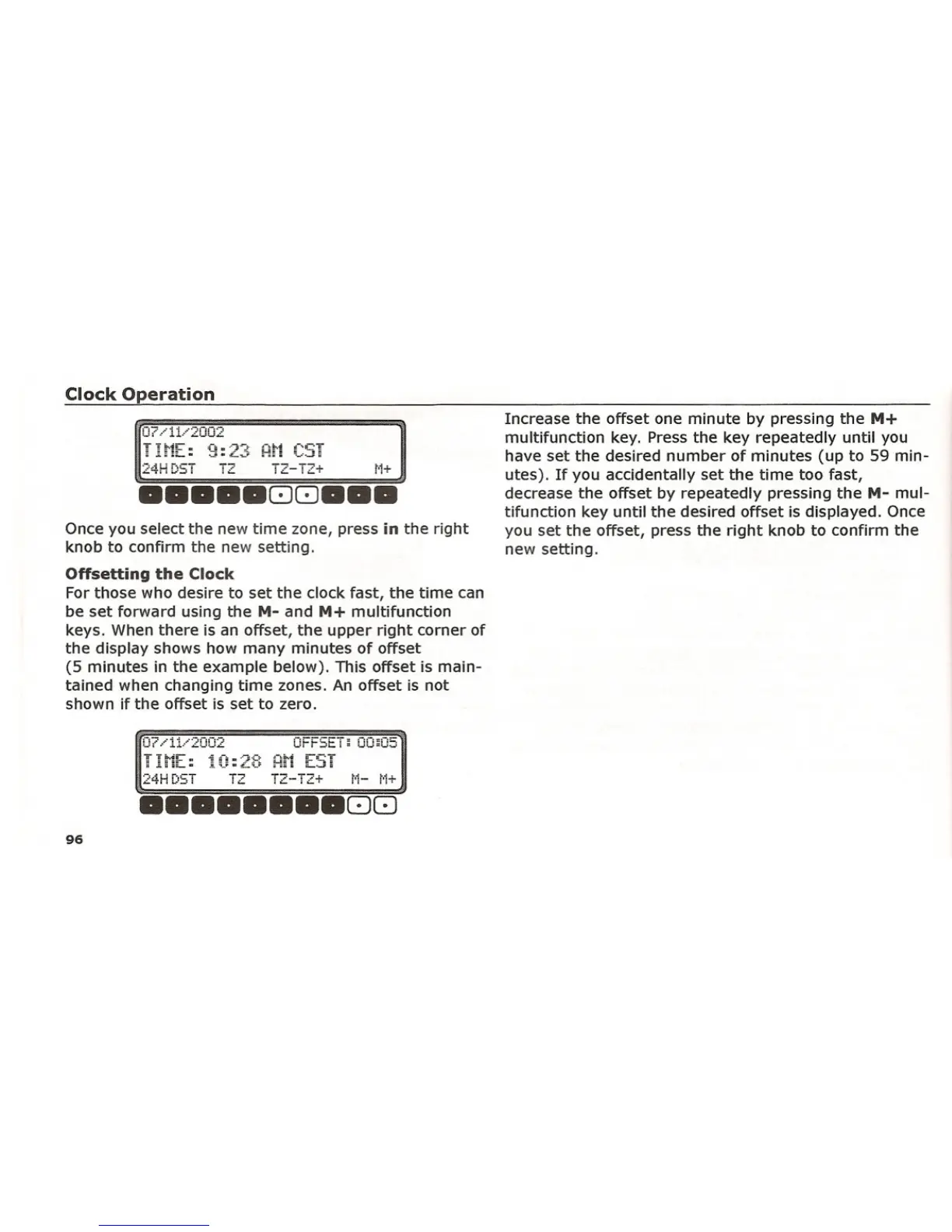
Once you select the new time zone, press in the right
knob to confirm the new setting.
Offsetting the Clock
For those who desire to set the clock fast, the time can
be set forward using the M- and M+ multifunction
keys. When there is an offset, the upper right corner of
the display shows how many minutes of offset
(5 minutes in the example below). This offset is main-
tained when changing time zones. An offset is not
shown if the offset is set to zero.
24HDST TZ T2-T2+
Increase the offset one minute by pressing the M+
multifunction key. Press the key repeatedly until you
have set the desired number of minutes (up to 59 min-
utes). If you accidentally set the time too fast,
decrease the offset by repeatedly pressing the M- mul-
tifunction key until the desired offset is displayed. Once
you set the offset, press the right knob to confirm the
new setting.
Ot.·..·i:L..·2002
Oi-FSET; 00;05
TI~[: 10:28 RN EST
24H DST
1"2 T2-T2+
••••••• 88
96















 To Next Page