
 Need help?
Do you have a question about the CIG WF-810 and is the answer not in the manual?
Users must download the HomePass by Plume app to their smartphone to begin setup.
Initiate the setup process by opening the HomePass app and tapping "Set Up Plume".
Create a user account for the HomePass app by providing an email and password.
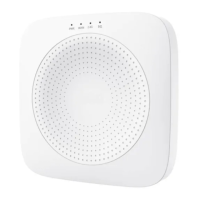
Connect the pod to the modem, plug it into power, and restart the modem as guided by the app.
Choose a WiFi name and password for your home network during the app setup.
Spread additional pods around the home, considering common WiFi obstacles for better coverage.
Join the new WLAN network on your device to complete the WiFi connection process.
Manage your Wi-Fi settings and add or manage additional Plume pods for extended coverage.
Monitor connected devices and run speed tests to check network performance.
Configure security settings and access advanced network configurations like port forwarding.
Details compliance with FCC Part 15 rules and guidelines for preventing harmful interference.
Information regarding compliance with FCC radiation exposure limits for uncontrolled environments.
Provides contact information for Cambridge Industries USA Inc. and CIG Shanghai Co., Ltd.
 General
| Brand | CIG |
|---|---|
| Model | WF-810 |
| Category | Microphone system |
| Language | English |

 To Next Page