GE AC Instalation and operation manual V10.docx
47 / 63
The power supply State Machine must be in either READY or RUN for the user to introduce these
set-points. If it was the case that the analog input is activated, then the voltage set-point button
would no longer be activated.
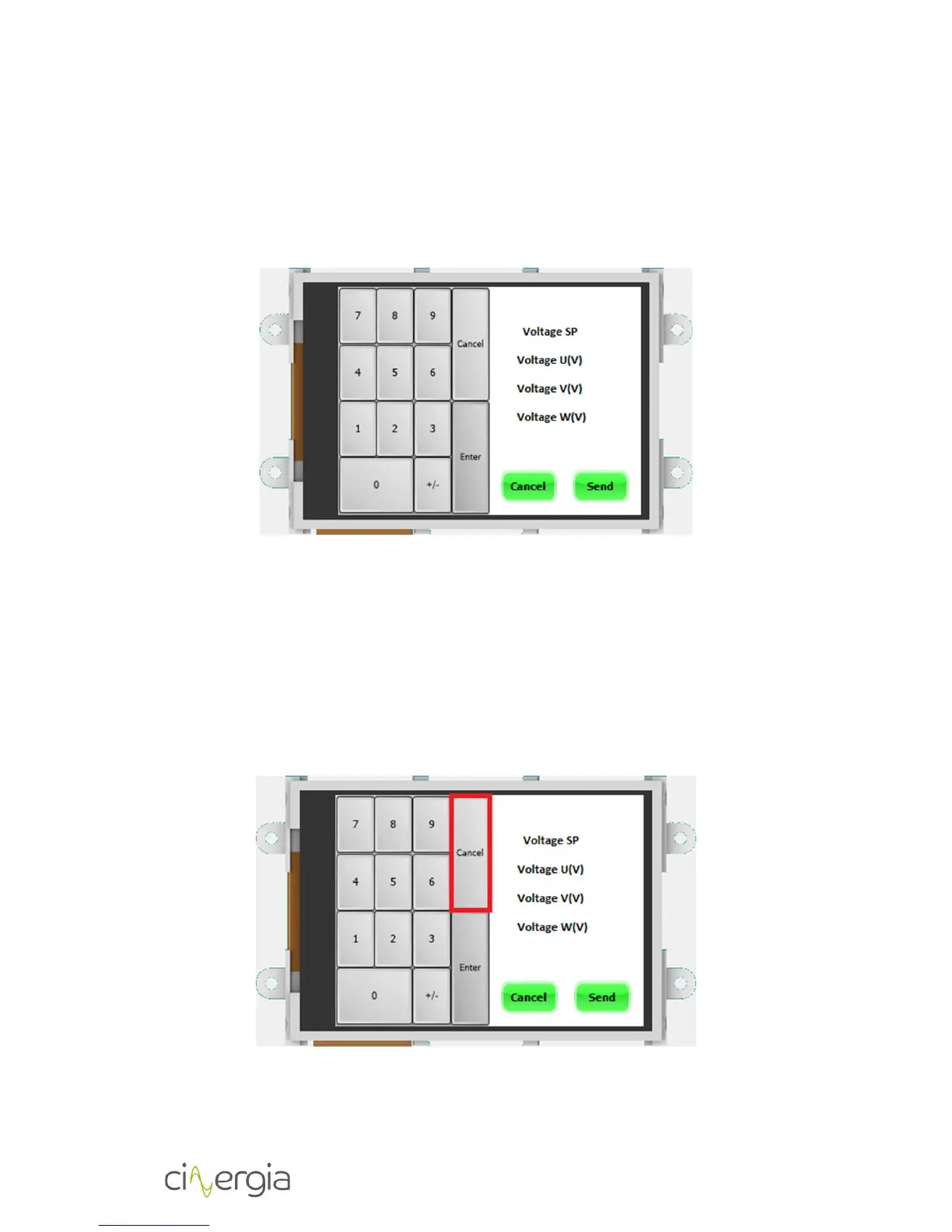
When the user press Set Voltage or Set Phase and Freq. the following keyboard will appear. In
the following example the voltage set point is shown, for the phase and freq. is the same
procedure.
The procedure to send a set point consists of the following steps:
1. Press Set Point button.
2. Introduce the first set point and press Enter.
3. Introduce the second set point and press Enter.
4. Introduce the third set point and press Enter.
5. Press SEND button.
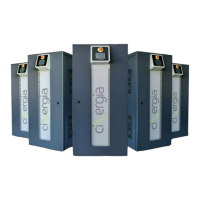
If the user needs to erase the current set point being edited, the Cancel button (grey one) sets
it to zero. As it is shown in the next figure:



 To Next Page