System requirements
Windows® XP or or higher
Mac OS X 10.5 or higher
Linux
USB 2.0
Camera software upgrade
www.tandberg.com
USB extension cable
The connection cable can be extended by using a standard USB
extension cable. The maximum recommended extension cable
length is 2 meters /7 feet.
16:9 wide format HD video
1280×720 resolution at 30 fps
High light sensitivity: F1.7
Multicoated all glass optics
Auto focus and auto light adjustment
Ultra wideband microphone
Mechanical privacy shutter
No software installation required
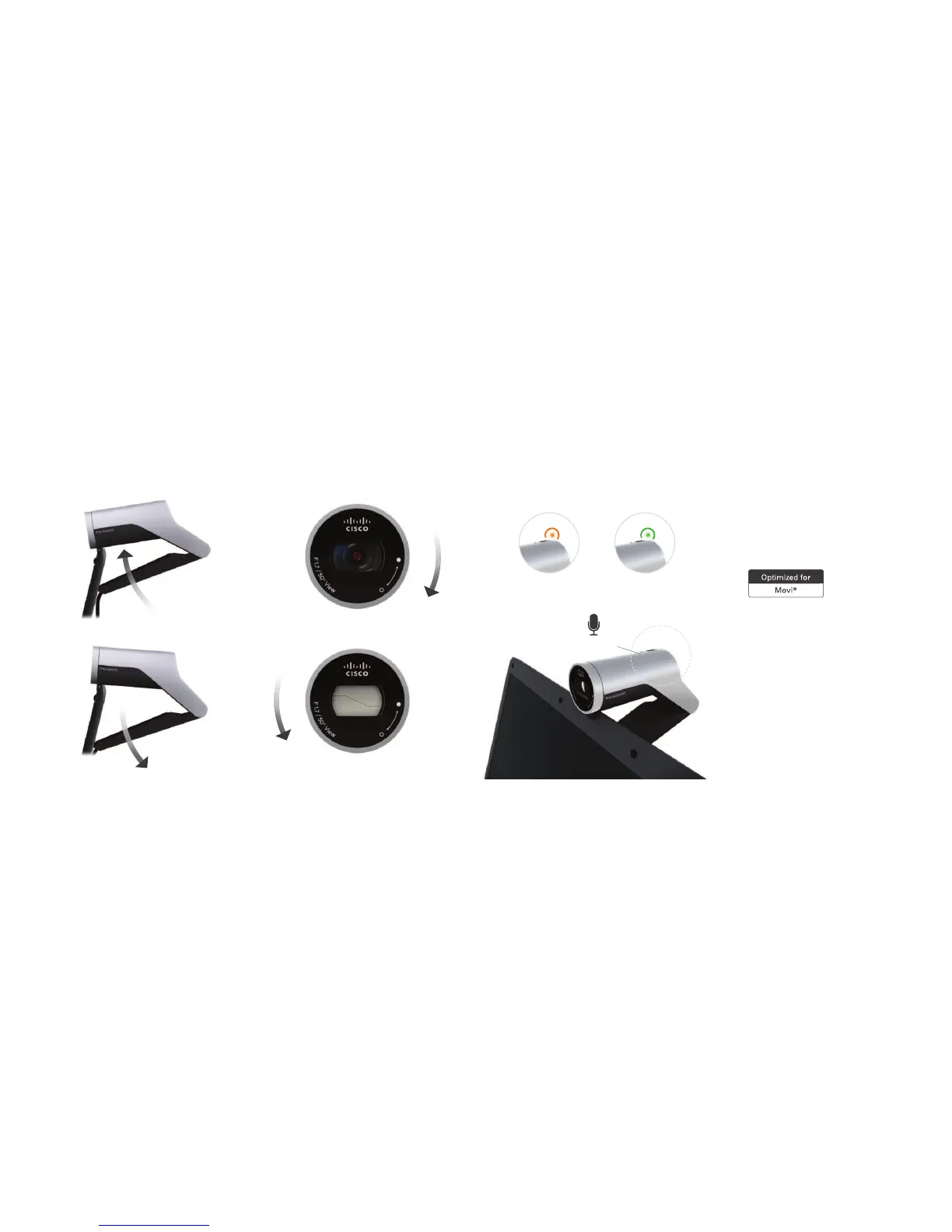
Camera angle up
Mounting and adjusting the camera Light indicators and microphone Camera specificationsMechanical privacy shutter
Turn right to open
Turn left to shut
Ultra wideband
microphone
Green light
power on / standby
Orange light
starting up / capturing video
Camera angle down



 To Previous Page