0800 040 8888
working with daisy
www.daisygroupplc.com
v1 - 06/13
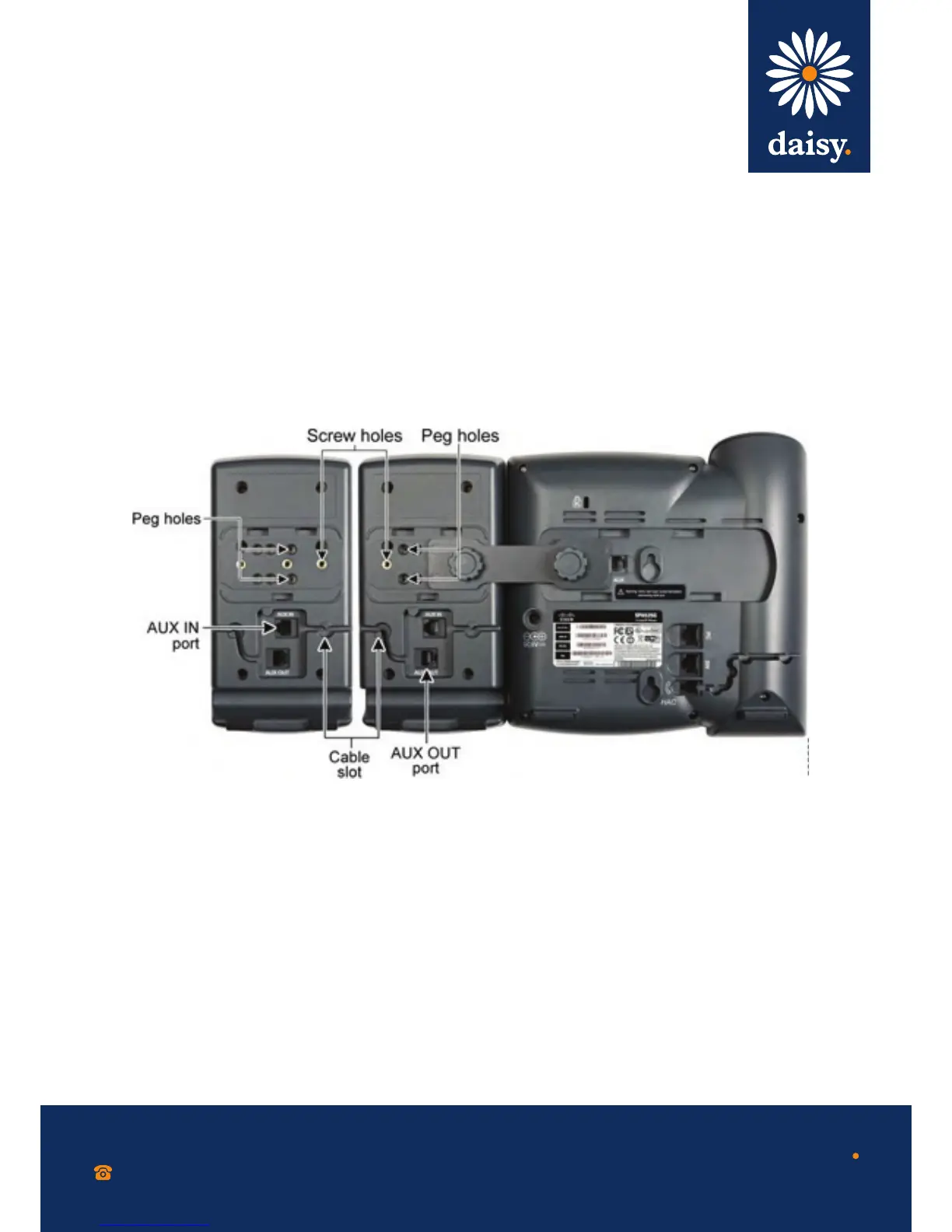
Step 8 Locate the ‘AUX OUT’ port on the back of the fi rst Cisco SPA 500S.
Connect one end of the auxiliary cable to this port.
Step 9 Locate the ‘AUX IN’ port on the back of the second Cisco SPA 500S.
Connect the other end of the auxiliary cable to this port.
Step 10 Route the auxiliary cable inside the cable slot. The Cisco SPA 500S is
powered by the auxiliary cable with the Cisco SPA 500 Series IP Phone;
no additional power source is required.
Step 11 Attach the appropriate desktop stands to each unit.


 To Next Page
 Loading...