Step 1 — CONNECTING ANTENNA
TO A TV WITH A DIGITAL TUNER
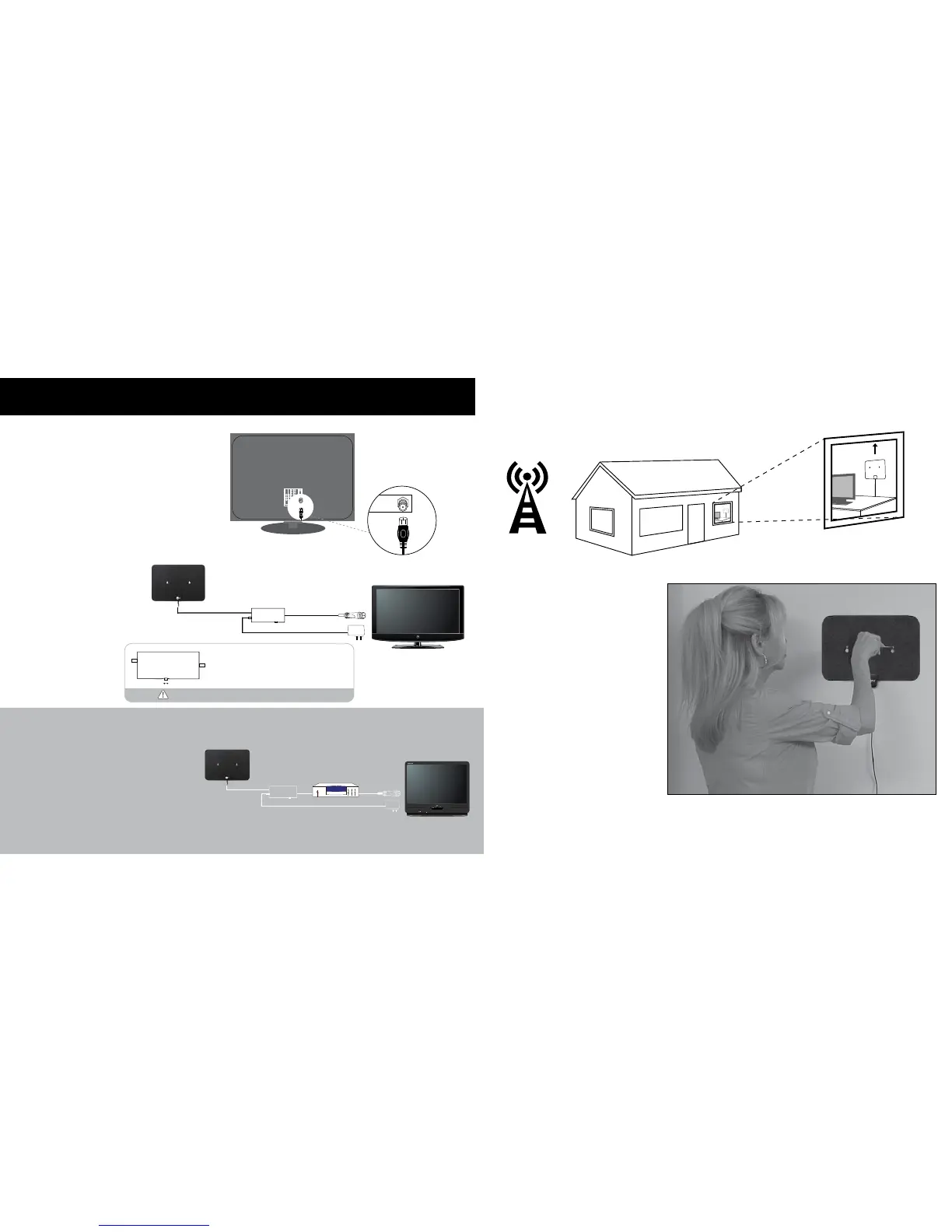
Attach the mini coax cable, which is
the small black cable coming from the
antenna. Simply screw the connector into
the ANTENNA IN or CABLE IN port on the
back of your television.
IMPORTANT!
TV must be
a digital TV
to receive
a digital HD
broadcast.
2
Attach the mini coax cable, which is
the small black cable coming from the
antenna. Simply screw the connector into
the ANTENNA IN or CABLE IN port on the
back of your set-top converter box, and
then connect you set-top converter box to
the back of your television.
CONNECTING ANTENNA TO A TV WITHOUT A DIGITAL TUNER
SETTING UP YOUR CLEAR TV
Step 2A — MOUNTING
ANTENNA TO WALL
For mounting your antenna
on a wall, simply remove the
suction cups and use the holes
to mount your antenna in your
desired location. We recommend
using tape to temporarily stick
the antenna to the wall before
permanently mounting it with the
screws provided.
3
Read Installation Instructions Before
Permanently Mounting Antenna
Set-Top Converter Box
ANT IN
Smart Pass Amplier must be powered in order to function.
Switch the smart pass amplier Active or Passive as per the
way in which more channels can be received.
·Switch Passive- The LED indicates green for normal reception.
·Switch Active - The LED indicates red for stronger reception.
Scan channels after each switching in the smart pass amplier.
Active
Passive


 To Next Page
 Loading...