5.18.2010
Radius: 13mm
Keep or Change Default
Settings
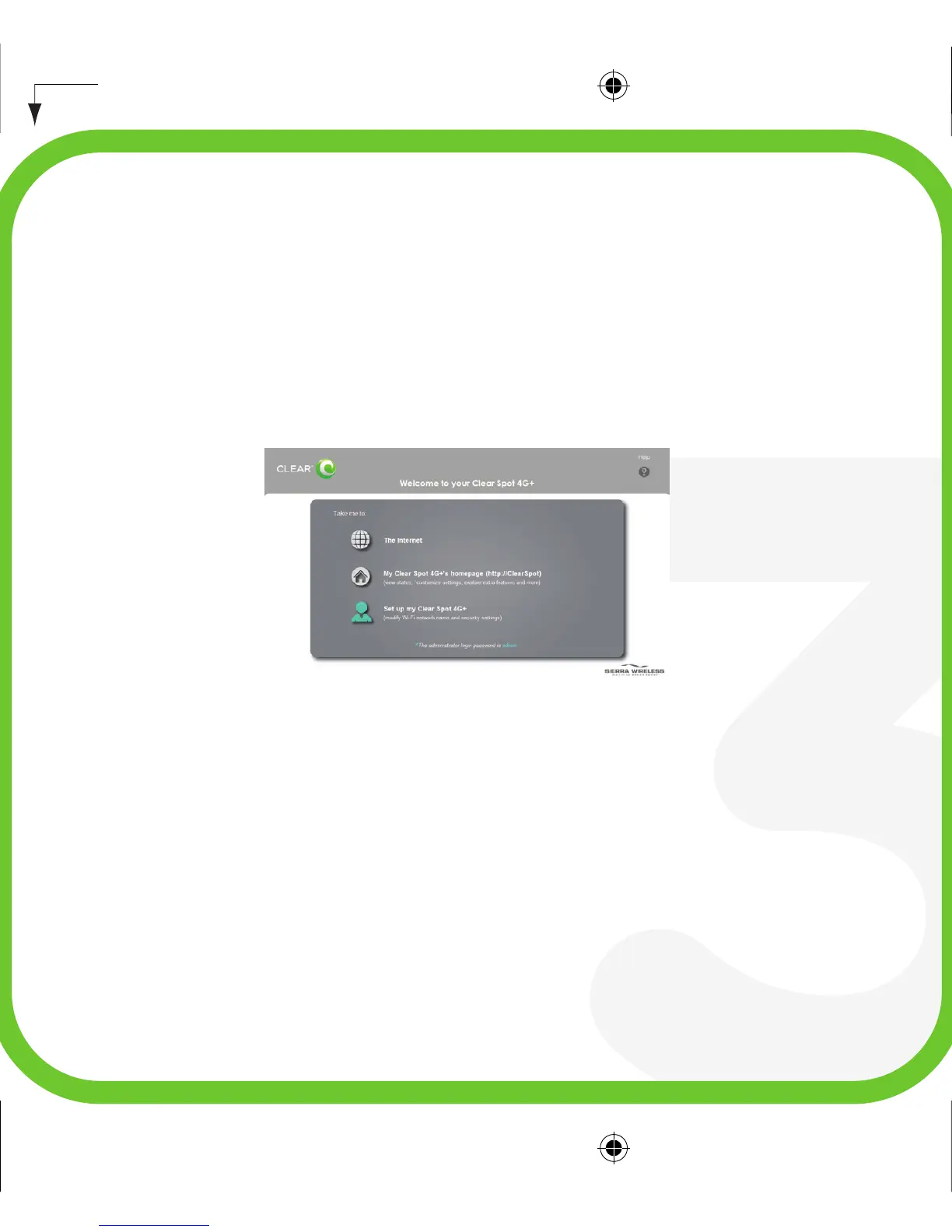
The following page will be displayed when you first open your web browser.
Click “The Internet” to access the internet using your Clear Spot device
without changing any settings.
or
Click “My Clear Spot 4G+’s Home Page” to see detailed information on your
Clear Spot device and connection status.
or
Click “Set up my Clear Spot 4G+” to quickly customize your basic device
and network settings before continuing.
clear spot 4G+ QSG: p7


 To Next Page