
 Need help?
Do you have a question about the ClearCaptions j3082 and is the answer not in the manual?
Position the phone near a power outlet, internet access point, and phone jack.
Remove and identify the phone body, handset, cords, and stand from the box.
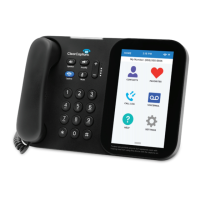
Insert the phone stand into the back slots until it securely snaps into place.
Carefully peel off the protective cover from the display screen.
Connect the power cord to the phone's rear and then to an electrical outlet.
Follow the phone's touch screen prompts for initial configuration.
Connect the phone line if using landline service.
Log in to your ClearCaptions account or register as instructed.
Check for completion indicators (check marks) for network, service, software, and phone line.
Choose to take a tour of features or start using the phone.
Contact support via app or by dialing 866-868-8695 for assistance.
 General
| Model | j3082 |
|---|---|
| Type | IP Phone |
| Display | Color LCD |
| Speakerphone | Yes |
| Voicemail | Visual voicemail |
| Power Source | AC adapter |
| Adjustable Font Size | Yes |
| Display Size | Varies |
| Connectivity | Ethernet |
| Features | Call waiting, caller ID, call forwarding |
| Captions | Real-time captions |

 To Next Page