2
ENGLISH
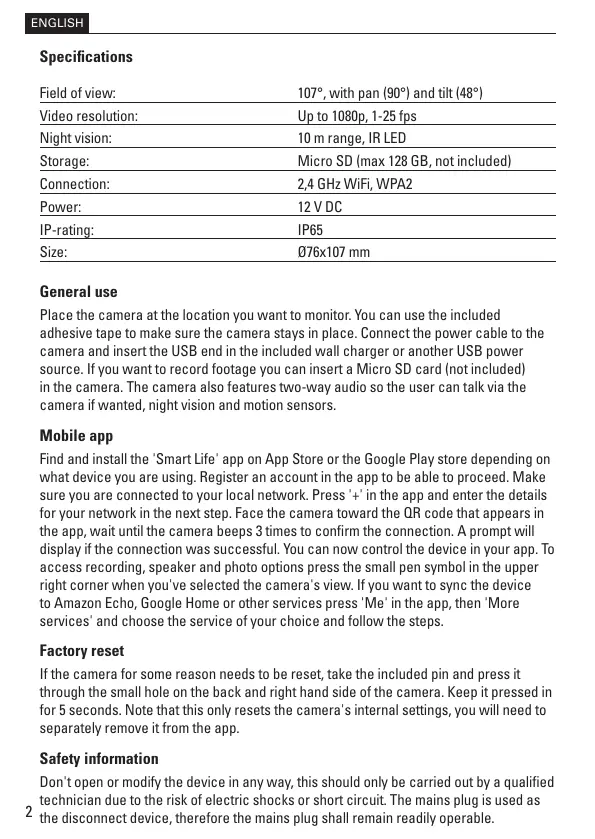
Specications
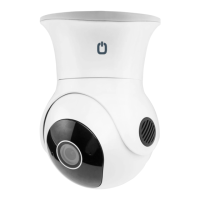
Field of view: 107°, with pan (90°) and tilt (48°)
Video resolution: Up to 1080p, 1-25 fps
Night vision: 10 m range, IR LED
Storage: Micro SD (max 128 GB, not included)
Connection: 2,4 GHz WiFi, WPA2
Power: 12 V DC
IP-rating: IP65
Size: Ø76x107 mm
General use
Place the camera at the location you want to monitor. You can use the included
adhesive tape to make sure the camera stays in place. Connect the power cable to the
camera and insert the USB end in the included wall charger or another USB power
source. If you want to record footage you can insert a Micro SD card (not included)
in the camera. The camera also features two-way audio so the user can talk via the
camera if wanted, night vision and motion sensors.
Mobile app
Find and install the 'Smart Life' app on App Store or the Google Play store depending on
what device you are using. Register an account in the app to be able to proceed. Make
sure you are connected to your local network. Press '+' in the app and enter the details
for your network in the next step. Face the camera toward the QR code that appears in
the app, wait until the camera beeps 3 times to conrm the connection. A prompt will
display if the connection was successful. You can now control the device in your app. To
access recording, speaker and photo options press the small pen symbol in the upper
right corner when you've selected the camera's view. If you want to sync the device
to Amazon Echo, Google Home or other services press 'Me' in the app, then 'More
services' and choose the service of your choice and follow the steps.
Factory reset
If the camera for some reason needs to be reset, take the included pin and press it
through the small hole on the back and right hand side of the camera. Keep it pressed in
for 5 seconds. Note that this only resets the camera's internal settings, you will need to
separately remove it from the app.
Safety information
Don't open or modify the device in any way, this should only be carried out by a qualied
technician due to the risk of electric shocks or short circuit. The mains plug is used as
the disconnect device, therefore the mains plug shall remain readily operable.


 To Next Page
 Loading...