INSTALLATION AND OPERATING INSTRUCTIONS 5
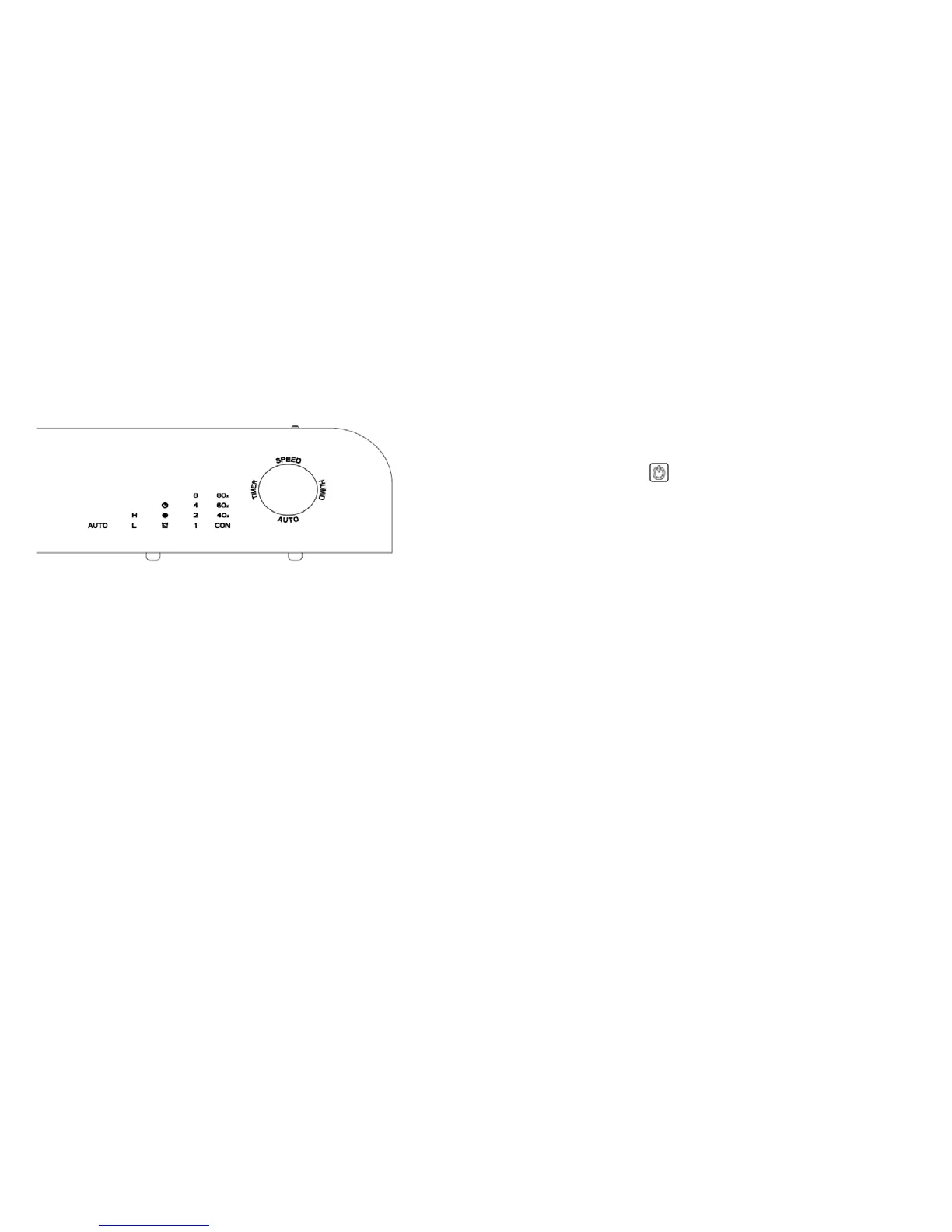
B. CONTROL PANEL & KEY PADS
POWER
Turns unit ON/OFF.
SPEED
Allows selection of dehumidification speed
(High (H) /Low (L))
Default unit SPEED is set at High (H).
HUMID
Allows selection of different room relative humidity ratios
(40%/60%/80%/CONTINOUS). Unit is automatically set on CON
(continuous dehumidification) mode when turned on.
TIMER
To set automatic ON/OFF timer at 1/2/4/8 hour settings.
AUTO
Turns Auto Dehumidification ON/OFF.
C. OPERATION INSTRUCTIONS
1. Plug unit into power socket, unit will beep twice and LED monitor
lights will illuminate for one second.
2. Press POWER button
to turn unit on.
Note:
The dehumidification setting is automatically set at CON
(continuous dehumidification) and default dehumidification speed is
set at High (H).
Note:
Unit will run on CON (continuous dehumidification) mode
unless a room relative humidity ratio (HUMID) or the AUTO
dehumidification is selected.
3. To select the dehumidification mode, press SPEED button to
select High (H) or Low (L) respectively.
Note:
When the temperature sensor detects the ambient room
temperature to be higher or equal to 32°C, the unit fan speed will
automatically switch to operate at High (H). When the temperature
sensor detects the ambient temperature to be less than 30°C, the
fan speed will run automatically at previous selected speed setting.
Note:
When the temperature sensor detects the ambient humidity is
lower than selected setting, fan will work at a Low (L) speed.
Note:
When unit is operating in defrost mode, unit will run at High
(H) speed.
4. To select room relative humidity (RH) ratios, press HUMID
button to select 40%~60%~80%~CON (continuous
dehumidification) respectively.


 To Next Page