Instruction Manual
2
"Mediatek SmartDevice" can be download by scan following code:
WEARING AND OPERATION
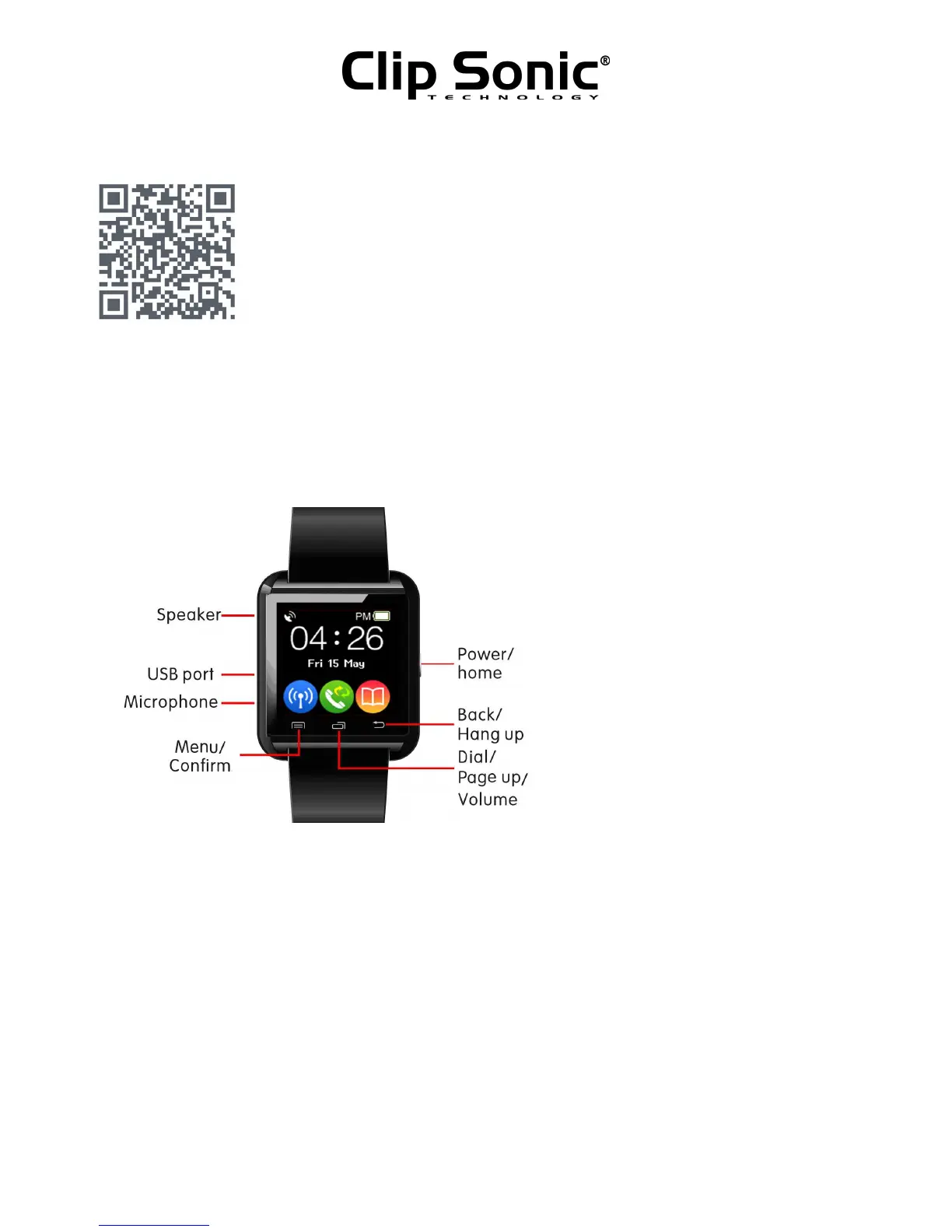
Please wear this Bluetooth® Smart watch in the correct direction,When wearing the watch, ON/OFF
key should be at right, and 3 touch keys should be at bellow.
• Power key: long press for ON/OFF and short press for EXIT from menu to clock. And short press
at clock display to light on or off the display.
• Left touch key, menu/confirm key. Enter the menu from clock, or “confirm” in menu operation.
• Middle touch key, dial enter/page up key. Enter dial interface from clock, or page up in menu
operation, or volume up/down in music and telephone.
• Right touch key,return/hang up key. No use in clock, and return in menu operation.
• Otherwise, slide on the touch panel can do:
- Slide left or right: menu page up/down
-
Tap on the screen: Enter the menu
- Slide downward: Exit the menu



 To Next Page