50x0CTC3 Series C-Touch Colour Touch Screen User’s Guide
© 2014 Schneider Electric. All Rights Reserved.
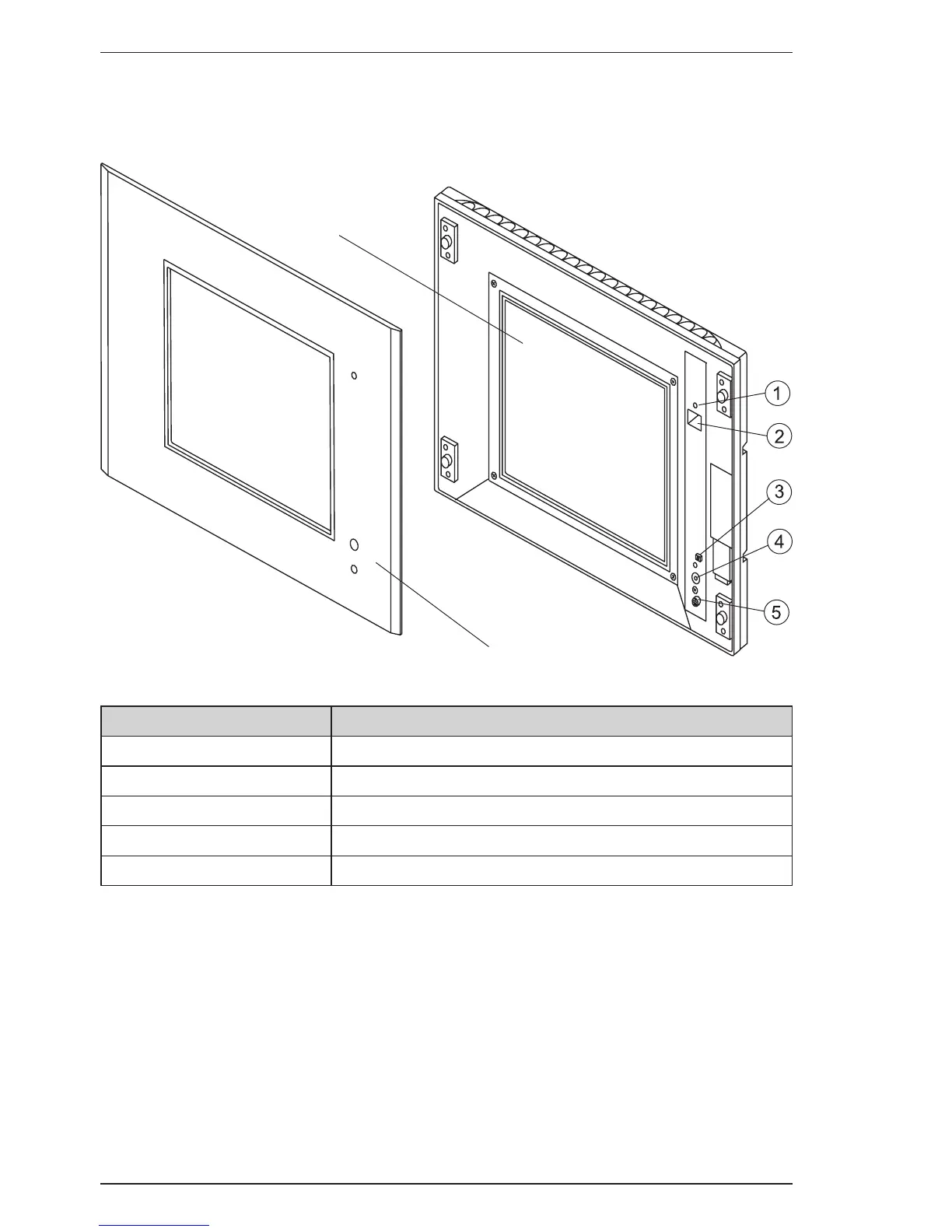
Figure 1 shows the features of the front side of the unit. Normally, you do not need
to remove the front fascia. It must be removed to gain access to the reset button.
See the instructions later in this guide for removing and installing the fascia.
Figure reference Description
1 Power on/off indicator LED
2 Programming connector (RJ45)
3 Reset button
4 Infrared remote control window
5 Light level sensor
Figure 1. Front panel features
Touch screen
Front fascia



 To Next Page