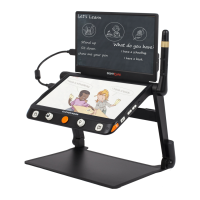
❑ Tap to highlight the thumb picture and tap it again (or press the
Speech/Enter button! or! ) to playback the picture. The
thumb picture with the voice label can play the recorded voice
by tapping the Voice icon on the top-right side (or press down
the Zoom button).
❑ You can view and navigate the image with the same operations
described in the Image Freeze section. Press the Home/Exit
button! to pop up the control bar.
❑
Tap icon ! / ! to page up/down the picture. Tap icon ! /
! to quickly go back to the first picture or last picture.
❑
Tap the Rotation icon ! to rotate the picture and the last
direction will be saved when exit the playback.
Note: Besides the hand gesture, you can use the Joystick!
and press the Speech/Enter button! or! to achieve the above
operation.
❑
Tap the Exit icon ! (or long press the Home/Exit button! ) to
exit to the gallery.
❑ When in the gallery, select the target image which needs to be
deleted, tap the Trash icon! (or press the Locate button! )
and the same trash label will appear right on the image. Tap
the Trash icon! again (or press the Locate button again! )
to delete or any other buttons/places on the screen to cancel.
❑
When in the galley, tap the Trash icon! (or hold the Locate
button! ) for 5 seconds to delete all the images. Tap the Trash
icon! (or press the Locate button! ) again to confirm or any
other buttons/places on the screen to cancel.
❑ With Multi-seletion activated, and all the target pictures have
been chosen, tap the Trash icon! (or press the Locate button
! ) will pop the choose box. Tap the Trash icon! (or press


 To Next Page
 Loading...