After The Game
Power o all beltpacks and player receivers (hold down the power button).
Thoroughly dry o any moisture. Properly stow away all gear in your case.
Be sure to fully charge your beltpacks after each use.
9
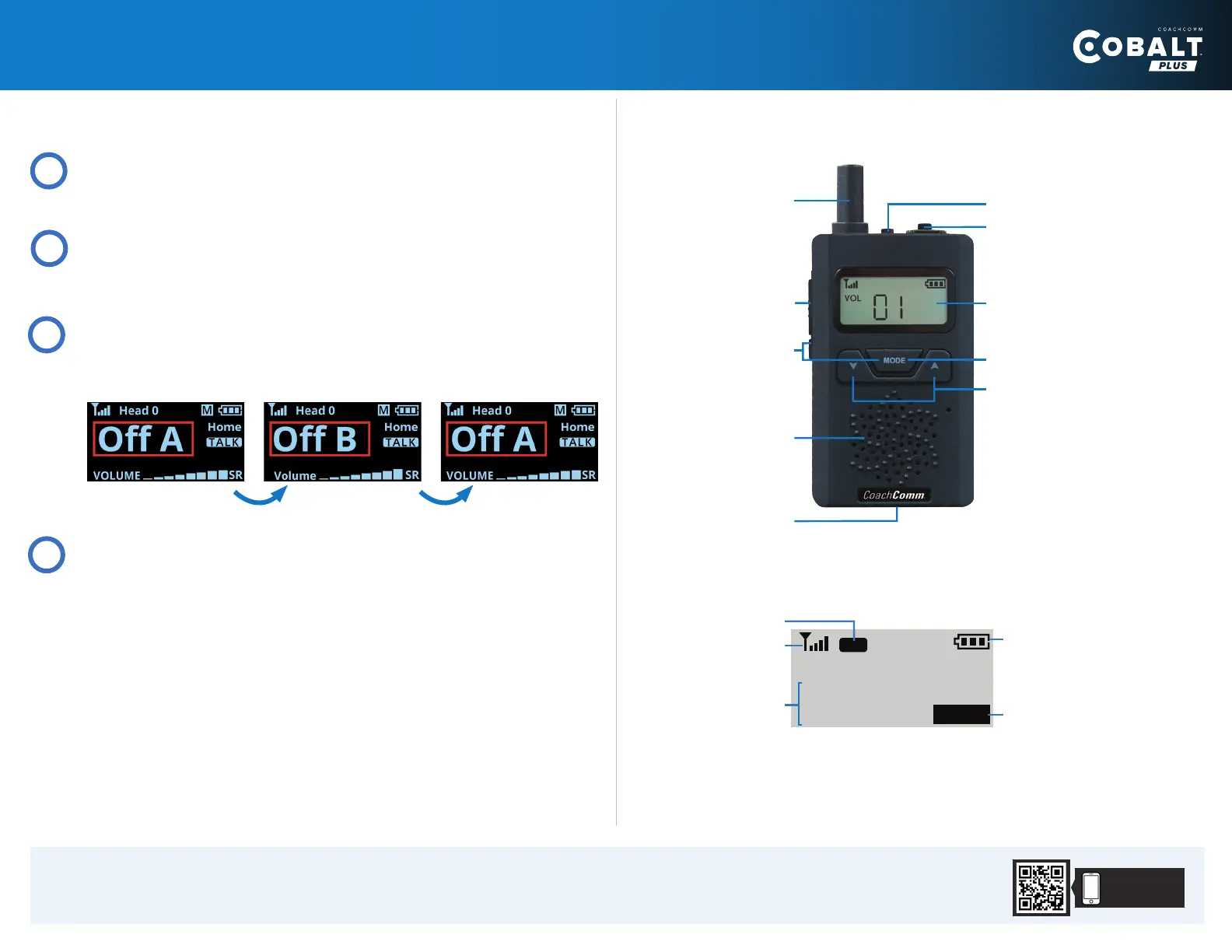
Short-press the channel button to cycle between the coaches’ talk
channels enabled on your beltpack.
Channels may vary depending on your system’s configuration.
And so on...
8
Specifications
Battery Life: 10 hours
Charge Time: 3 hours from dead with USB cable
Internal Speaker
Lock Function
Earpiece Connection
Charging Port
Volume/Toggle
Buttons
Mode Button
LCD Screen
Antenna
Power Button
Not Used
o1
P1
I D
AWAY
User Role
Signal Indicator
Player ID
Home or Away
Battery Status
PLAYER RECEIVER OVERVIEW
Copyright © 2021 CoachComm, LLC. All rights reserved. CoachComm Cobalt® is
a registered trademark of CoachComm, LLC. D0000651_A
https://www.coachcomm.com/cobaltplus-support
Scan for more
support info.
Press the talk button to switch talk on and o.
6
7
Press and hold the channel button to talk to player receivers.
The talk button must be on to talk to player channels.
2


 To Previous Page
 Loading...