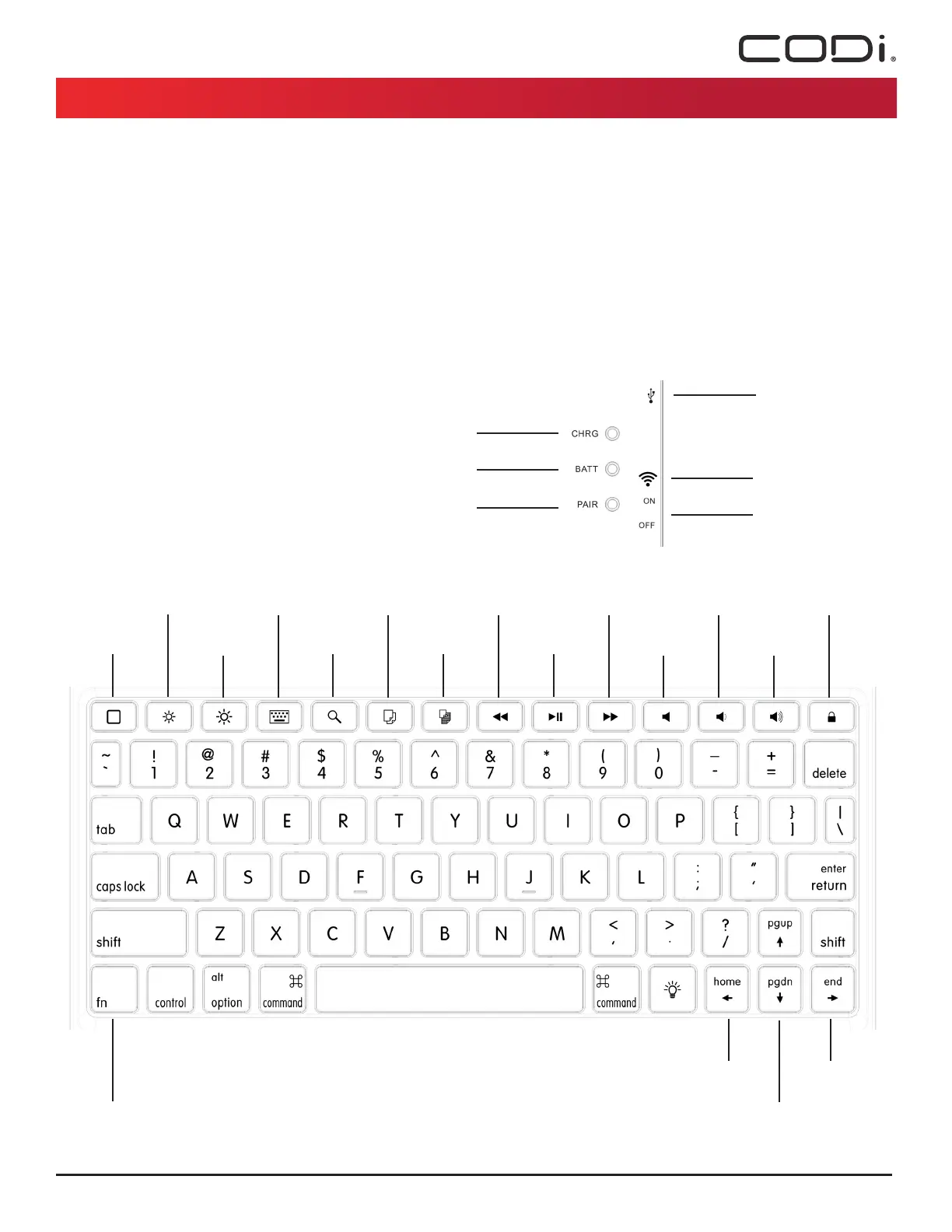
DEVICE INFORMATION
1. e keyboards backlight function will turn off automatically, with inactivity,
after 30 seconds.
2. e backlight function will automatically turn off, when the battery is low.
3. e backlight has 3 different brightness levels. Press the key with the lightbulb
to turn on, turn off, and change backlight brightness levels.
4. e keyboard will go to “sleep”, after 10 minutes of inactivity
CODi Part# C30708503 / iPad 9.7” Models (Air, Air 2, Pro 9.7, Gen 5 & Gen 6)
Bluetooth Keyboard Case Manual
LED INDICATORS
1. Blue LED - Blinking: Device is paring with the iPad
2. Red LED - Solid: Device is charging
3. Green LED - Solid: Battery is charged
4. Green LED - Blinking: Battery is low
KEYBOARD
HOME
BRIGHTNESS ( - ) VIRTUAL KEYBOARD
SEARCH
COPY
PASTE PLAY/PAUSE
NEXT TRACK
MUTE
VOLUME ( - )
VOLUME ( + )
LOCK SCREEN
FUNCTION
FN + HOME
FN + PGUP
FN + PGDN
FN + END
BRIGHTNESS ( + )
PREV TRACK
MICRO-USB CHARGING PORT
CHARGING LED
ON/OFF SWITCH
PAIRING LED
BATTERY LED
CODi LLC // 120 Commons Court // Chadds Ford, PA 19317
+1 800.263.4462 // CODiWorldwide.com
BLUETOOTH CONNECT



 To Previous Page