Troubleshooting:
Please check the USB-C magnetic male connector
is inserted into the Sense controller USB-C port
securely. Ensure the Sense controller is put onto
the PSVR2 Stand in the correct position.
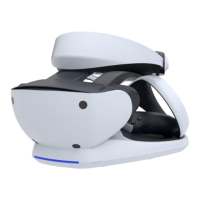
VR2 Stand is Not Powered ON
Please check connection between AC adapter and
PSVR2 Stand. Ensure USB-C connector is inserted
firmly.
Please check whether there are any obstructions to
charging and that the correct AC adapter is being
used. Simply REMOVE the Sense Controller &
Magnetic Connector, wait 5 seconds, and RE-
SEAT the controller into the charging dock.
Precaution and Maintenance
Ø Store in a cool, dry, and dust free area.
Ø Do not store in areas of extreme low temperatures (0 ℃) or high temperatures (40 ℃).
Ø Avoid direct sunlight and heat sources.
Ø Do not allow the product to get wet or dirty, as doing so may cause damage.
Ø Do not clean with benzene, paint thinner, acetone, alcohol, or other solvents.
Ø Do not take the product apart, as doing so will void your warranty and may cause electrical shock or
damage to internal components.
Ø Please help to conserve the environment by recycling the cardboard packing of this product.
Ø This product should NOT be disposed of in normal household waste, and it should be disposed of
separately. Please take it to an electrical waste collection point.


 To Previous Page
 Loading...