EasyManua.ls Logo

Comelit Simple Key SK9000I - User Manual

Comelit Simple Key SK9000I
12 pages
Print Icon
To Next Page IconTo Next Page
Loading...
Assistenza tecnica Italia 0346/750090
Commerciale Italia 0346/750091
Technical service abroad (+39) 0346750092
Export department (+39) 0346750093
Comelit Group S.p.A. - Via Don Arrigoni 5 - 24020 Rovetta S. Lorenzo BG Italy - tel. (+39) 0346 750 011 - fax (+39) 0346 71436
www.comelit.eu www.simplehome.eu info@comelit.it commerciale.italia@comelit.it export.department@comelit.it
IT
MANUALE
TECNICO
EN
TECHNICAL
MANUAL
FR
MANUEL
TECHNIQUE
NL
TECHNISCHE
HANDLEIDING
ES
MANUAL
TÉCNICO
Unità di controllo accessi Art. SK9000I
Access control unit Art. SK9000I
Module contrôle d'accès Art. SK9000I
Toegangscontrolemodule Art. SK9000I
Módulo de control de accesos art. SK9000I
Question and Answer IconNeed help?

Do you have a question about the Comelit Simple Key SK9000I and is the answer not in the manual?

Summary

Safety and Compliance

General Safety Warnings

General safety instructions for installation and use of the device, adhering to standards and manufacturer guidelines.

SK9000 Unit Overview and Configuration

Introduction, Structure, and Settings

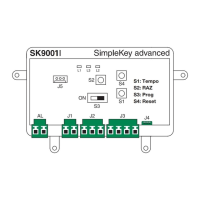
Overview of the SK9000 unit, its components, terminals, programming modes, and timer adjustment.

User Token Management

Steps for managing master and user tokens, including adding, resetting, and deleting.

Operation and Troubleshooting

Understanding unit LED status for normal operation and basic troubleshooting.

Technical Specifications

Key Technical Data

Details on opening time, output, power consumption, operating temperature, voltage, and dimensions.

Installation Examples

Powercom Installation

Illustrations showing the installation of the unit with Powercom Art. 3329.

Vandalcom Installation

Illustrations showing the installation of the unit with Vandalcom Art. 3179.

Icom Installation

Illustrations showing the installation of the unit with Icom Art. 3349.

Additional Installation Examples

Art. 3330 Installation

Illustrations showing the installation of the unit with Art. 3330.

Art. SK9040 Installation

Illustrations showing the installation of the unit with Art. SK9040.

Dimensions and Wiring

Overall Dimensions

Detailed physical dimensions of the SK9000 unit with measurement callouts.

Basic Wiring Diagram

Schematic showing the basic electrical connections for the SK9000 unit.

Separate Power Supply Requirement

Note on the necessity of a separate power supply for the electric lock.

System Connection Diagrams

Powercom Simplebus Connection

Wiring diagram for SK9000 connected to a Powercom Simplebus system.

Vandalcom Simplebus Connection

Wiring diagram for SK9000 connected to a Vandalcom Simplebus system.

Icom System Connection Diagram

Icom Simplebus Connection

Wiring diagram for SK9000 connected to an Icom Simplebus system.

Summary

Safety and Compliance

General Safety Warnings

General safety instructions for installation and use of the device, adhering to standards and manufacturer guidelines.

SK9000 Unit Overview and Configuration

Introduction, Structure, and Settings

Overview of the SK9000 unit, its components, terminals, programming modes, and timer adjustment.

User Token Management

Steps for managing master and user tokens, including adding, resetting, and deleting.

Operation and Troubleshooting

Understanding unit LED status for normal operation and basic troubleshooting.

Technical Specifications

Key Technical Data

Details on opening time, output, power consumption, operating temperature, voltage, and dimensions.

Installation Examples

Powercom Installation

Illustrations showing the installation of the unit with Powercom Art. 3329.

Vandalcom Installation

Illustrations showing the installation of the unit with Vandalcom Art. 3179.

Icom Installation

Illustrations showing the installation of the unit with Icom Art. 3349.

Additional Installation Examples

Art. 3330 Installation

Illustrations showing the installation of the unit with Art. 3330.

Art. SK9040 Installation

Illustrations showing the installation of the unit with Art. SK9040.

Dimensions and Wiring

Overall Dimensions

Detailed physical dimensions of the SK9000 unit with measurement callouts.

Basic Wiring Diagram

Schematic showing the basic electrical connections for the SK9000 unit.

Separate Power Supply Requirement

Note on the necessity of a separate power supply for the electric lock.

System Connection Diagrams

Powercom Simplebus Connection

Wiring diagram for SK9000 connected to a Powercom Simplebus system.

Vandalcom Simplebus Connection

Wiring diagram for SK9000 connected to a Vandalcom Simplebus system.

Icom System Connection Diagram

Icom Simplebus Connection

Wiring diagram for SK9000 connected to an Icom Simplebus system.

Comelit Simple Key SK9000I Specifications

General IconGeneral
CategoryIP Access Controllers
ModelSK9000I
ManufacturerComelit
ConnectivityEthernet
User Capacity1000 users
Protection RatingIP65
MountingSurface mount
Current ConsumptionMax 500 mA
Weight150 g
IP RatingIP65
CommunicationTCP/IP
Power Supply12V DC
Access Control ProtocolsWiegand
Operating Voltage12-24 VDC
Humidity10% to 90% RH
CompatibilityComelit

Related product manuals