System Installation Guide
2
69-2688—03 I/O-CHTSTAT03
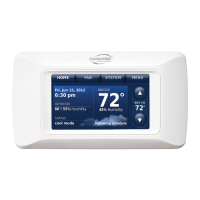
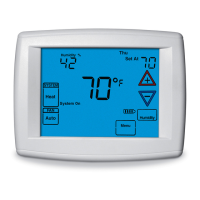
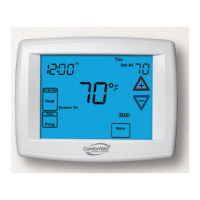
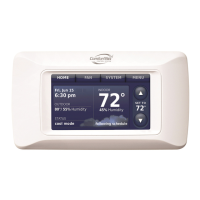
The ComfortNet advantage
ThepremiumHoneywellComfortNet™controlsystemiseasytouse,energy-
efficient,reliableandensuresthesystemissetupproperly.Advancedoperating
algorithmsbuiltintothecontroldeliversefficientequipmentoperationwhilepro-
vidingoptimalcomfort.TheHoneywellComfortNetCommunicatingthermostat
isdesignedtoregulateandcommunicatewiththecentralheatingandcooling
equipmentandhastheabilitytoshareinformationsotheuserwillenjoyefficient,
economical comfort throughout the home.
RedLINK™ Compatible
IncreaseyourcontentandprofitperjobbyincludingHoneywellRedLINK™
accessoriesthatmeetyourcustomerscomfortandconvenienceneeds.RedLINK
accessoriesincludetheWirelessOutdoorSensor,PortableComfortControl
(PCC),RedLINKInternetGateway,WirelessIndoorSensor,TrueSTEAM™humidi-
fierwithWirelessAdapter,VentBoostRemoteandEntry/ExitRemote.
Customizable Service Reminders
Setupto10servicereminders.Choosefromthepre-setoptionsorcustomize
yourown.Remindersbasedondate,outdoortemperatureoradrycontactinput
willalertcustomerswithinstructionstocontactyouforassistance.
User Interactions Log
Theinteractionlogstoreshistoryofthermostatsettingchangesincludingtem-
perature,systemandinstallersetup.Youcanusetheinteractionlogtosavetime
bydeterminingiftheissueisasystemerrororanaccidentalusererror.
Configurable for Residential and Light Commercial Applications
OnethermostatdoesitalltomeettheneedsofResidentialandLightCommercial
applications.SimplyselectResidentialorCommercialduringtheinstallersetup.
IfCommercialisselected,thethermostatwillusecommerciallanguage,meet
buildingcodesandoffer365dayholidayscheduling.
USB Port for Quick Installer Setup
SavetimebyusingaUSBsticktouploadinstallersettingsandservicereminders
in one simple step.
Selectable Sensors
WhenpairedwithaWirelessIndoorSensor(s)youhavetheabilitytochoose
whichsensor(s)tousefortemperature,humidificationanddehumidification.They
canbeusedincombinationfortemperatureaveraging—orindividually—tocondi-
tionhumiditylevelsinseparatespaces.


 To Next Page
 Loading...