EasyManua.ls Logo

Commodore 1541 - Page 12

Commodore 1541
36 pages
Print Icon
To Next Page IconTo Next Page
To Previous Page IconTo Previous Page
Loading...
3.
Connect
AC
power
cord
between
J9
on
VIC-1541
and
AC
outlet.
IWARNINGI
USE
EXTREME
CARE
TO
AVOID
CONTACT
WITH
FRAME
COMPONENTS.
HIGH
AC
VOLTAGE
POTENTIALS
ARE
PRESENT
DURING
CALIBRATION. THESE
VOLTAGE
POTENTIALS
CAN
CAUSE
BODILY INJURY
OR
EVEN
DEATH.
4.
Place
VIC-1541
power
switch
to
ON.
5.
Apply
power
to
VIC-20/COMMODORE
64.
6.
If
a
VIC-20
is
the
computer
being
used,
enter
the
following
command:
OPEN
15,8,15,"UI-":CLOSE
15<Return>
7.
Insert
disk
which
will
be
used
as
the
alignment
standard
into
the
VIC-1541.
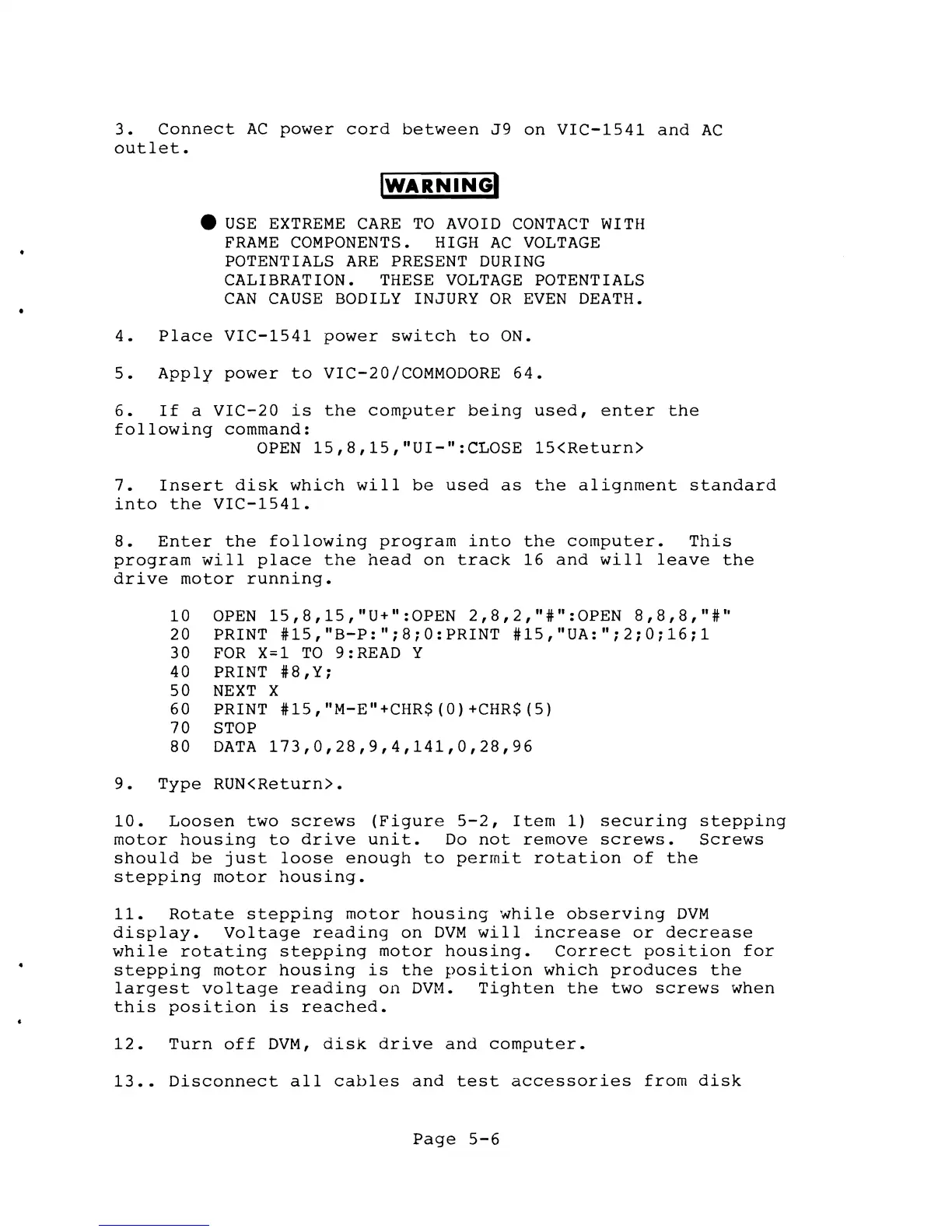
8.
Enter
the
following
program
into
the
computer.
This
program
will
place
the
head
on
track
16
and
will
leave
the
drive
motor
running.
10
OPEN
15,8,15,"U+":OPEN
2,8,2,"#":0PEN
8,8,8,"#h
20 PRINT
#15,"B-P:";8;0:PRINT
#15,"UA:";2;0;16;1
30
FOR
X~l
TO
9:READ Y
40 PRINT
#8,Y;
50
NEXT
X
60 PRINT
#15,"M-E"+CHR$(0)+CHR$(5)
70 STOP
80
DATA
173,0,28,9,4,141,0,28,96
9.
Type
RUN<Return>.
10.
Loosen
two
screws
(Figure
5-2,
Item
1)
securing
stepping
motor
housing
to
drive
unit.
Do
not
remove
screws.
Screws
should
be
just
loose
enough
to
permit
rotation
of
the
stepping
motor
housing.
11.
Rotate
stepping
motor
housing
while
observing
DVM
display.
Voltage
reading
on
DVM
will
increase
or
decrease
while
rotating
stepping
motor
housing.
Correct
position
for
stepping
motor
housing
is
the
position
which
produces
the
largest
voltage
reading
on
DVM.
Tighten
the
two
screws
when
this
position
is
reached.
12.
Turn
off
DVM,
disk
drive
and
computer.
13
••
Disconnect
all
cables
and
test
accessories
from
disk
Page
5-6

Other manuals for Commodore 1541

Related product manuals