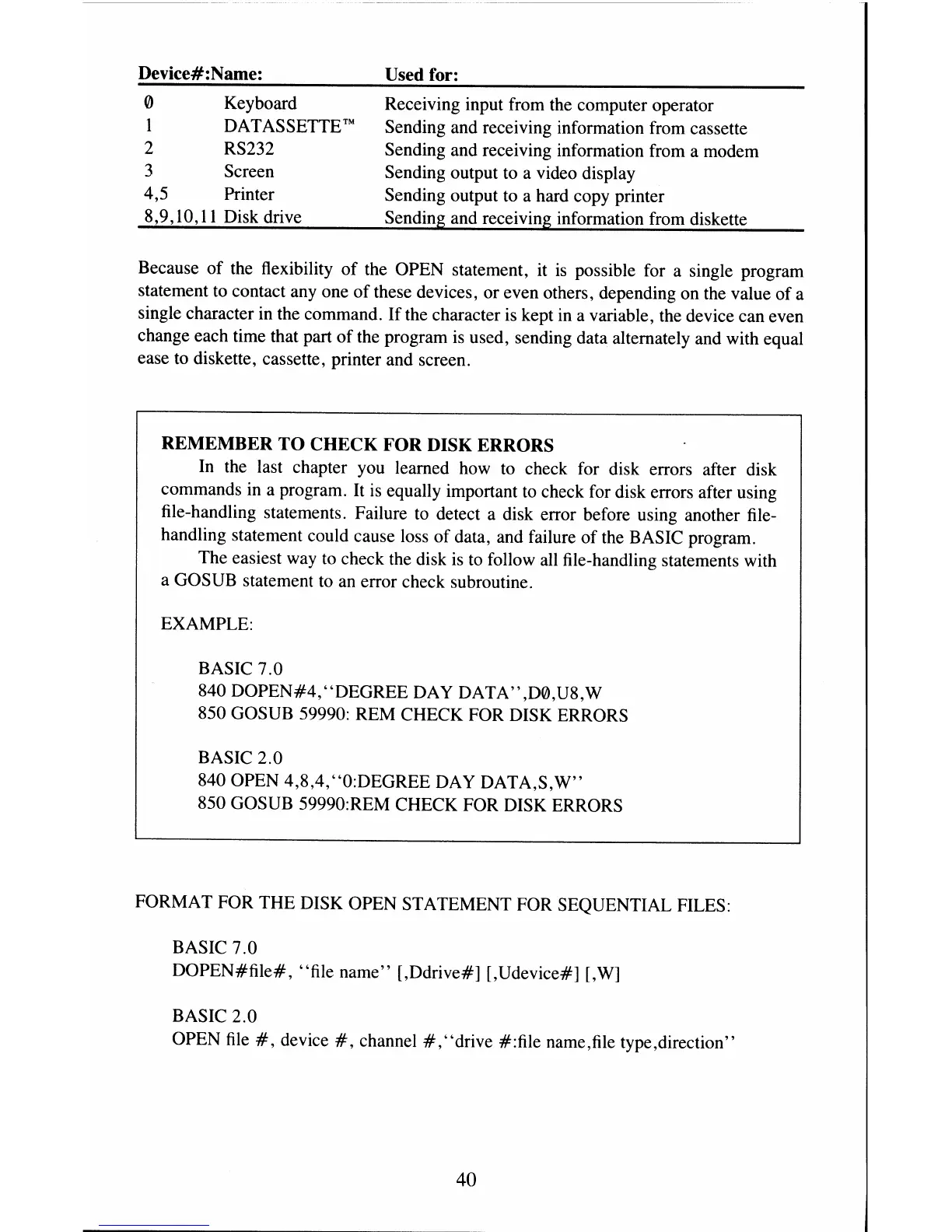
Device#:Name:
o Keyboard
DA T
AS
SETTE ™
2 RS232
3 Screen
4,5 Printer
8,9,10,11 Disk drive
Used for:
Receiving input from the computer operator
Sending and receiving information from cassette
Sending and receiving information from a modem
Sending output
to
a video display
Sending output
to
a hard copy printer
Sending and receiving information from diskette
Because
of
the flexibility
of
the OPEN statement, it
is
possible for a single program
statement to contact
anyone
of
these devices, or even others, depending on the value
of
a
single character in the command.
If
the character
is
kept
in
a variable, the device can even
change each time that part
of
the program
is
used, sending data alternately and with equal
ease to diskette, cassette, printer and screen.
REMEMBER TO CHECK FOR DISK ERRORS
In
the last chapter you learned how
to
check for disk errors after disk
commands in a program.
It
is
equally important
to
check for disk errors after using
file-handling statements. Failure
to
detect a disk error before using another file-
handling statement could cause loss
of
data, and failure
of
the BASIC program.
The easiest way
to
check the disk
is
to
follow all file-handling statements with
a GOSUB statement
to
an error check subroutine.
EXAMPLE:
BASIC 7.0
840
DOPEN#4,"DEGREE
DAY DATA" ,D0,U8,W
850 GOSUB 59990: REM CHECK FOR DISK ERRORS
BASIC 2.0
840 OPEN 4,8,4, "O:DEGREE
DA
Y DATA,S,
W"
850 GOSUB 59990:REM CHECK FOR DISK ERRORS
FORMAT FOR THE DISK OPEN STATEMENT FOR SEQUENTIAL FILES:
BASIC 7.0
DOPEN#file#,
"file name" [,Ddrive#] [,Udevice#] [,W]
BASIC 2.0
OPEN
file
#,
device
#,
channel
#,
"drive #:file name,file type,direction"
40



 To Next Page