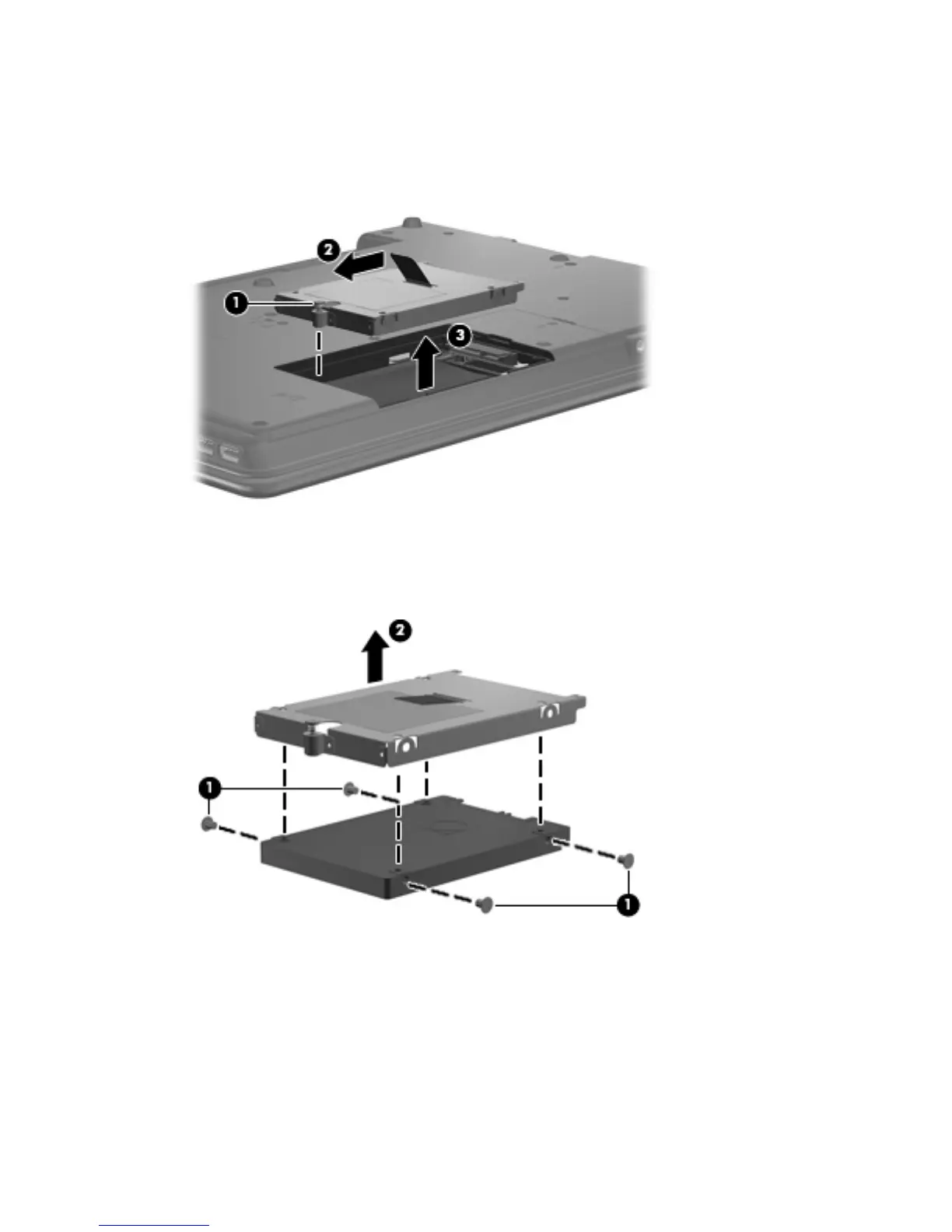
4. Loosen the Phillips 10.0-mm captive screw (1) that secures the hard drive to the computer.
5. Grasp the Mylar tab (2) on the hard drive and slide the hard drive to the left to disconnect it from
the system board.
6. Remove the hard drive (3) from the hard drive bay.
7. If it is necessary to replace the hard drive bracket, remove the four Phillips 4.0-mm hard drive
bracket screws (1) from each side of the hard drive.
8. Lift the bracket (2) straight up to remove it from the hard drive.
Reverse this procedure to reassemble and install the hard drive.
42 Chapter 4 Removal and replacement procedures





 To Next Page