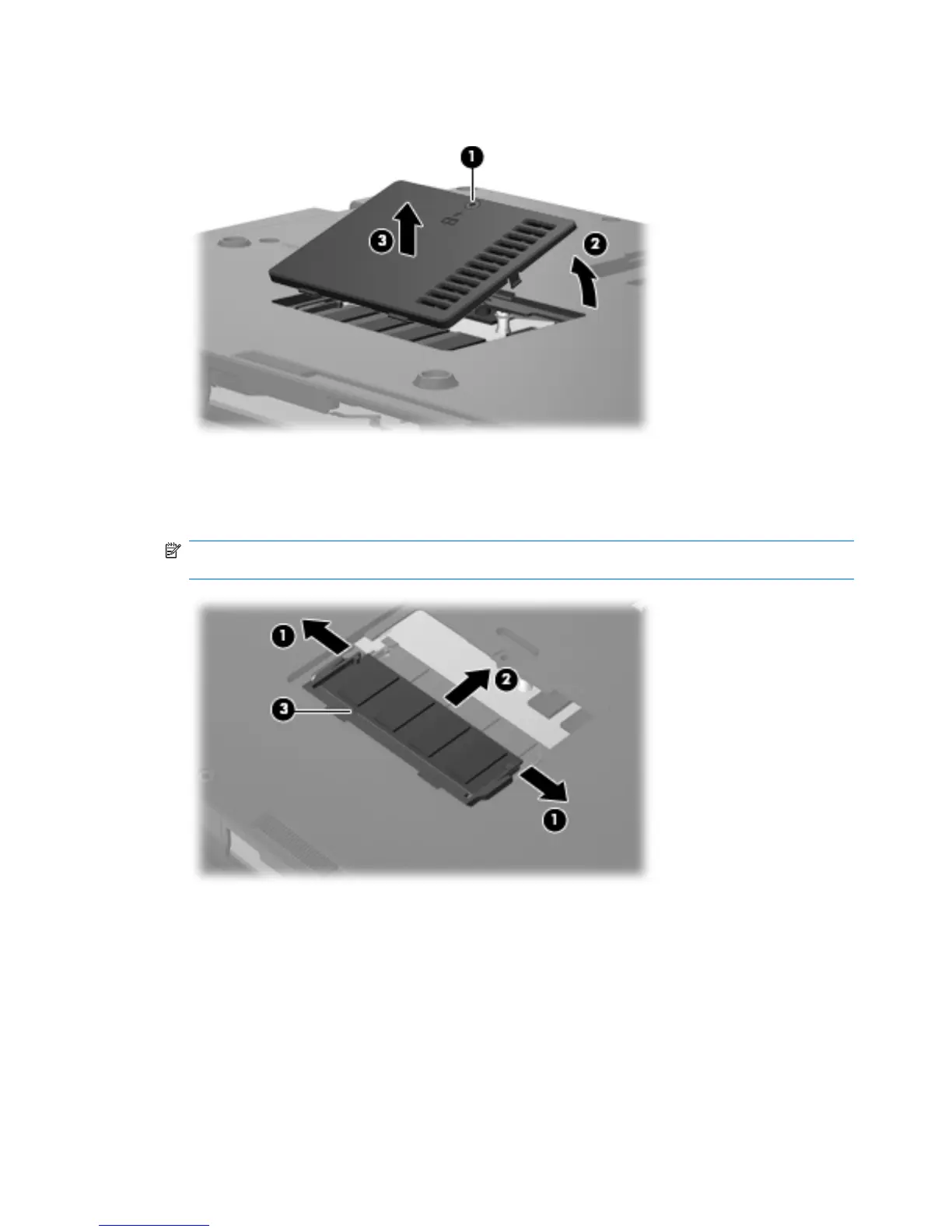
2. Lift the front edge of the cover (2), swing it up and back, and remove the cover (3). The memory
module compartment cover is included in the Plastics Kit, spare part number 490335-001.
3. Spread the retaining tabs (1) on each side of the memory module slot to release the memory
module. (The edge of the module opposite the slot rises away from the computer.)
4. Remove the memory module (2) by pulling the module away from the slot at an angle.
NOTE: Memory modules are designed with a notch (3) to prevent incorrect insertion into the
memory module slot.
Reverse this procedure to install a memory module.
46 Chapter 4 Removal and replacement procedures





 To Next Page