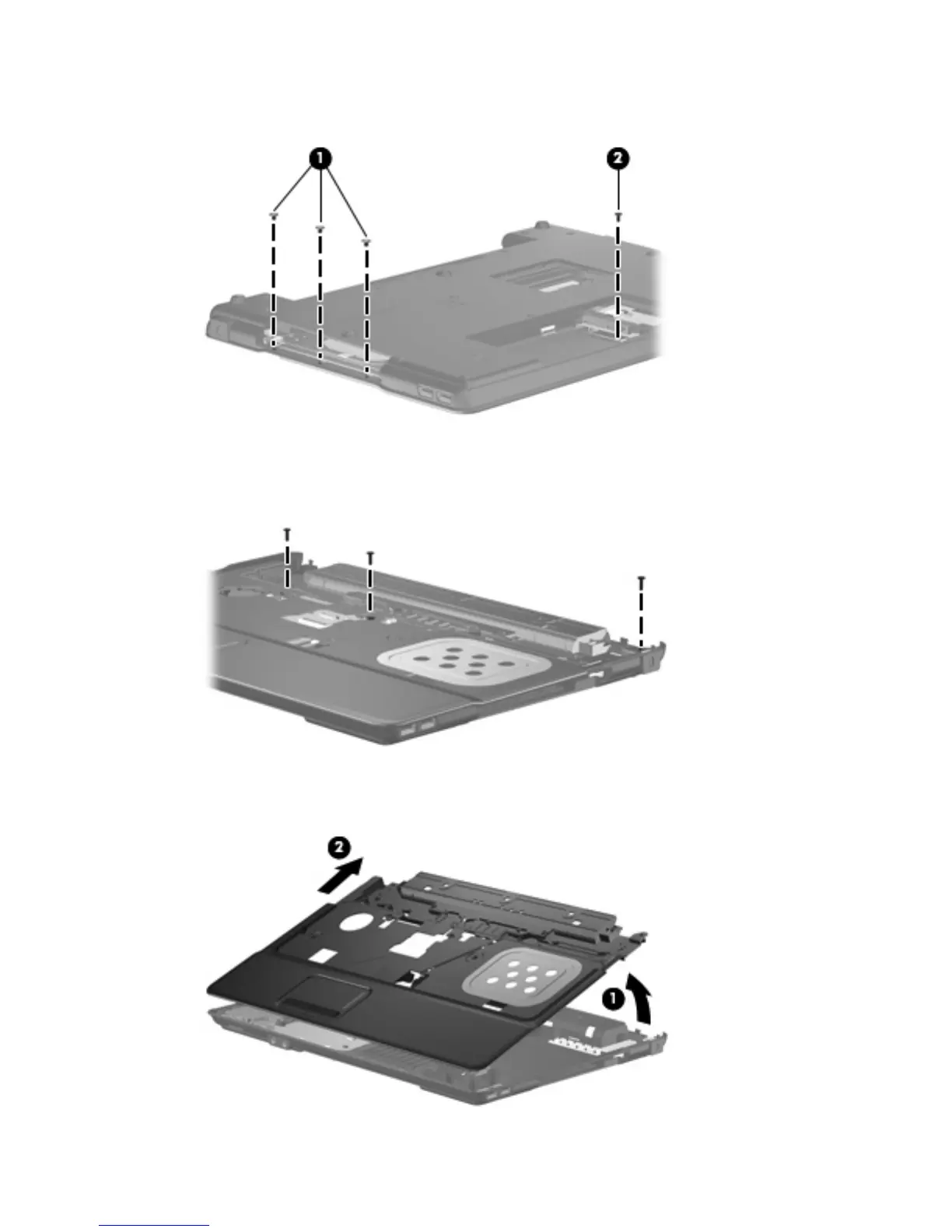
3. Remove the three Phillips 2.0-mm broad-head screws from the optical drive bay (1), and remove
the Torx 4.0-mm screw from the hard drive bay (2).
4. Turn the computer right-side up.
5. Remove the three slotted Torx 7.0-mm screws from the top cover.
6. Lift the rear edge of the top cover (1) until it disengages from the base enclosure. Then tilt the top
cover back (2) until the TouchPad cable is accessible.
Component replacement procedures 61





 To Next Page