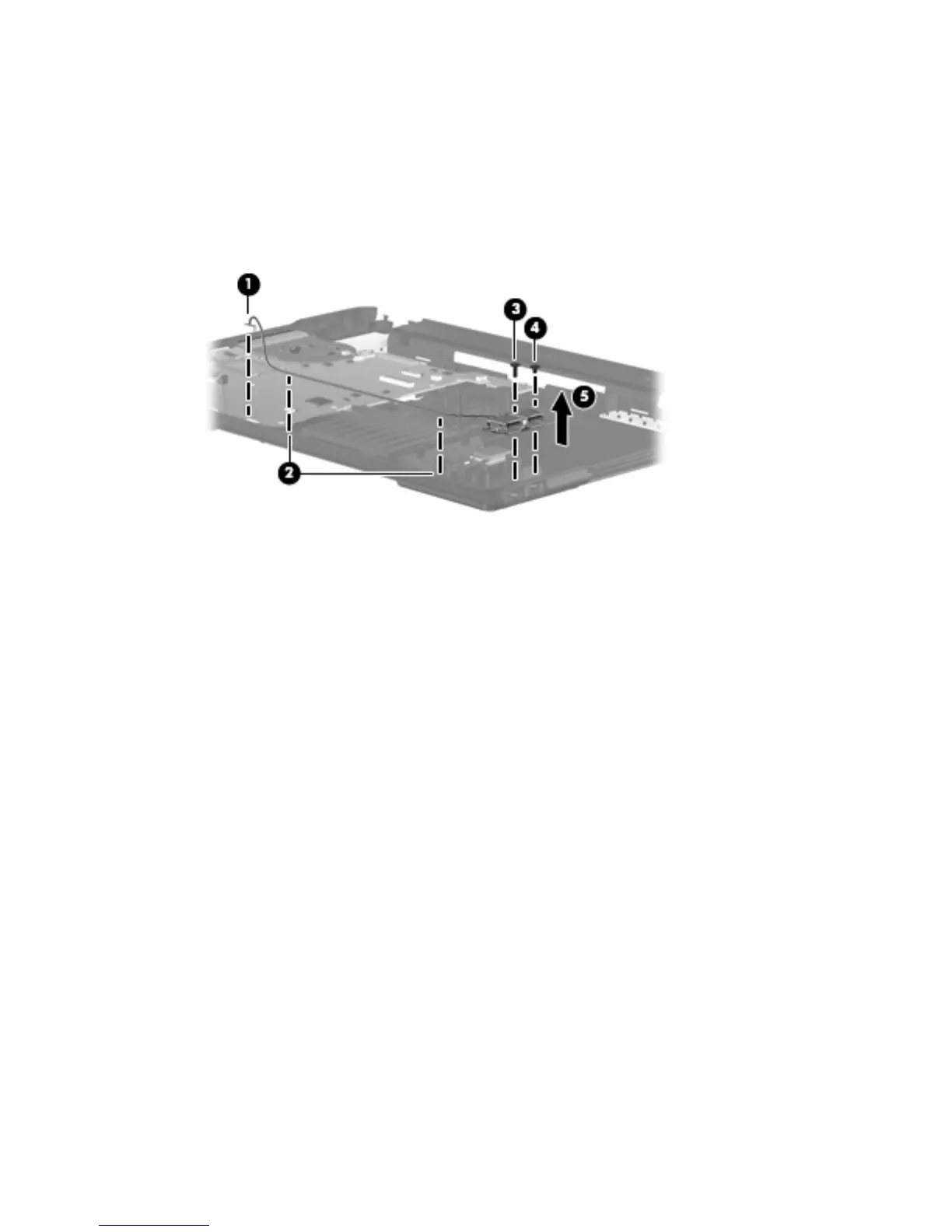
USB board
1. Disconnect the USB cable from the system board (1).
2. Lift up the USB connector and remove the cable from the cable routing path (2).
3. Remove the Phillips 9.0-mm screw (3) and the Phillips 4.0-mm screw (4) from the system board.
4. Remove the USB board (5).
Reverse this procedure to install the USB board.
Component replacement procedures 63





 To Next Page